

What’s new at Envoy: May 2026 product releases



Running a workplace means managing a lot of moving parts at once. Leveraging Envoy as the intelligence layer that connects verified identity, physical presence, and workplace operations brings all those moving parts together in one platform. Envoy's May 2026 releases make visitor experiences more intuitive, reduce your tool sprawl, and strengthen your audit-readiness.
Smoother and more secure visitor workflows
Keeping track of who is in your workplace is essential for security and operations. From contractors and delivery drivers to clients and VIP guests, you’re now able to keep detailed notes about visitors in your directory—and visitors get a more intuitive sign-in process.
- Enhanced ID scanning for visitors: Faster and more intuitive ID scanning gives clear guidance to visitors for capturing the front and back of their government-issued ID. The Envoy kiosk provides live feedback during image capture to prevent poor image quality. This update makes ID scanning easier for visitors, while adding an extra layer of security to verify that their ID is genuine before they enter your building. If a visitor’s ID has expired or isn’t recognized as a real ID, Envoy notifies your administrators so they can approve or deny their entry.
→ Learn more about ID scanning for visitors
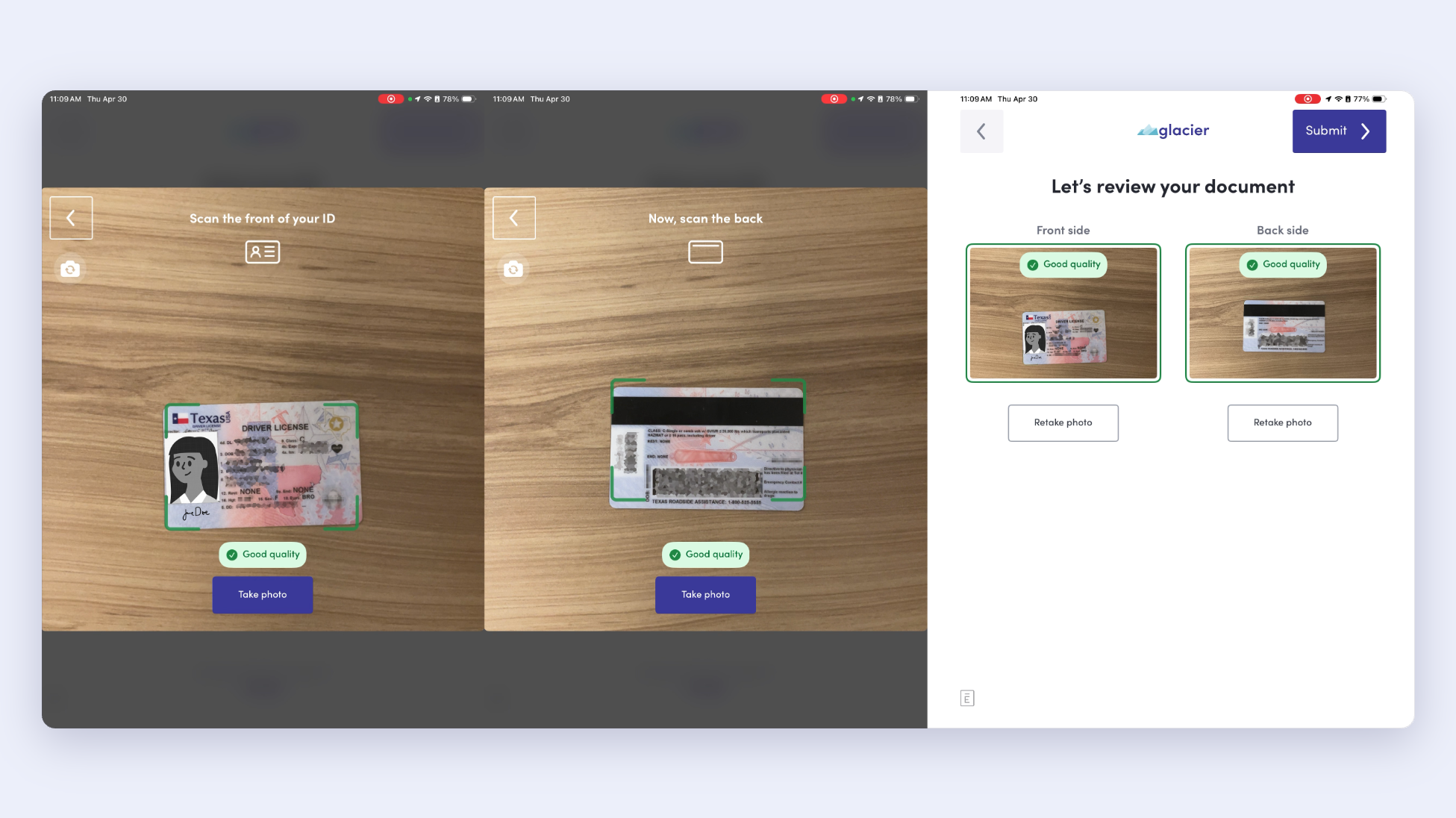
- Add notes on visitor profiles: The Visitor Directory gives you a single, searchable view and complete record of all past, present, and invited visitors. Each visitor has their own profile, which contains details like name, email address, photo, phone number, previous visits, upcoming visits, and more. Now you can add notes to visitor profiles in the Visitor Directory to give your team context about an individual over one or many visits.
→ Learn more about adding notes on visitor profiles
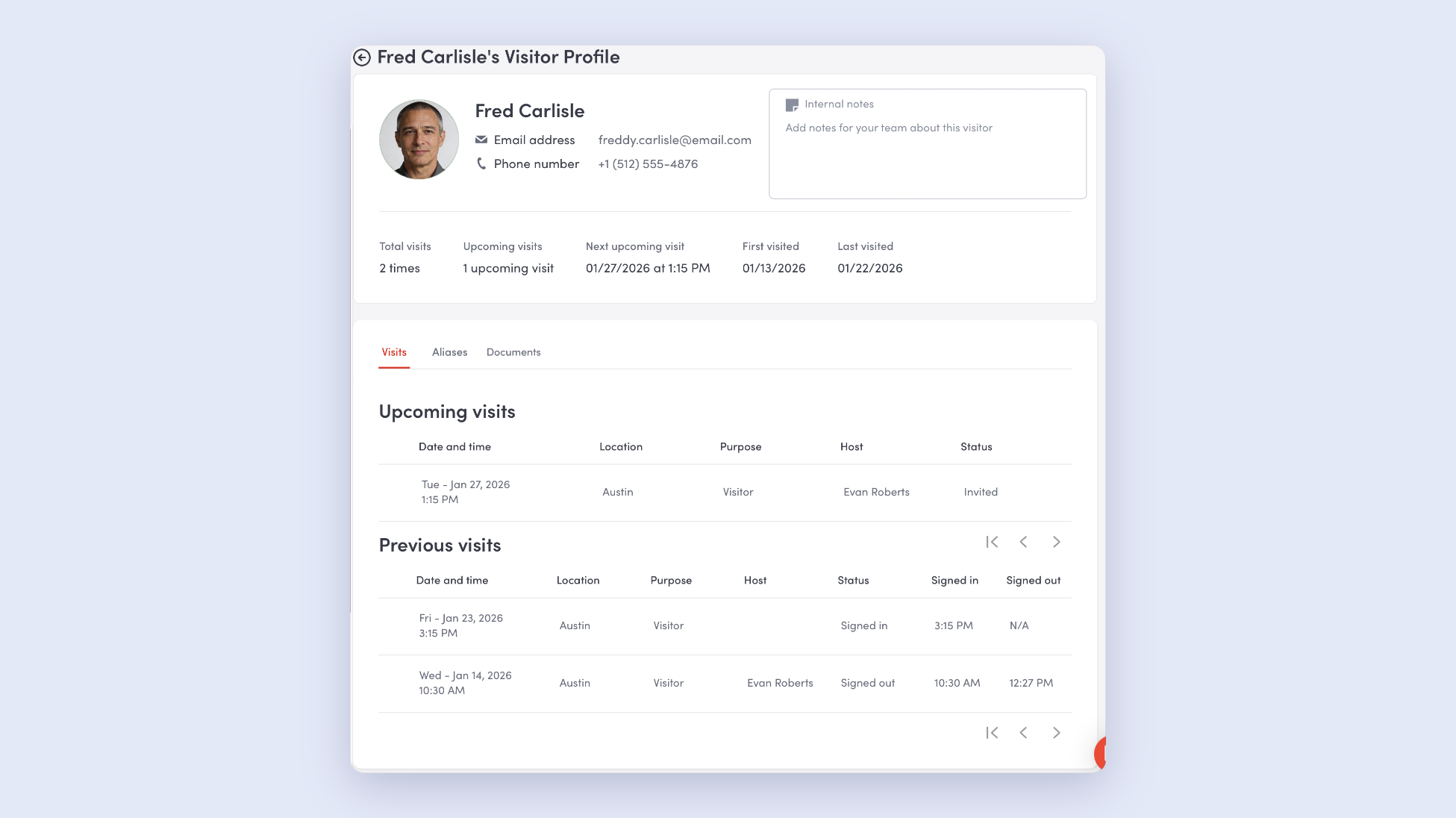
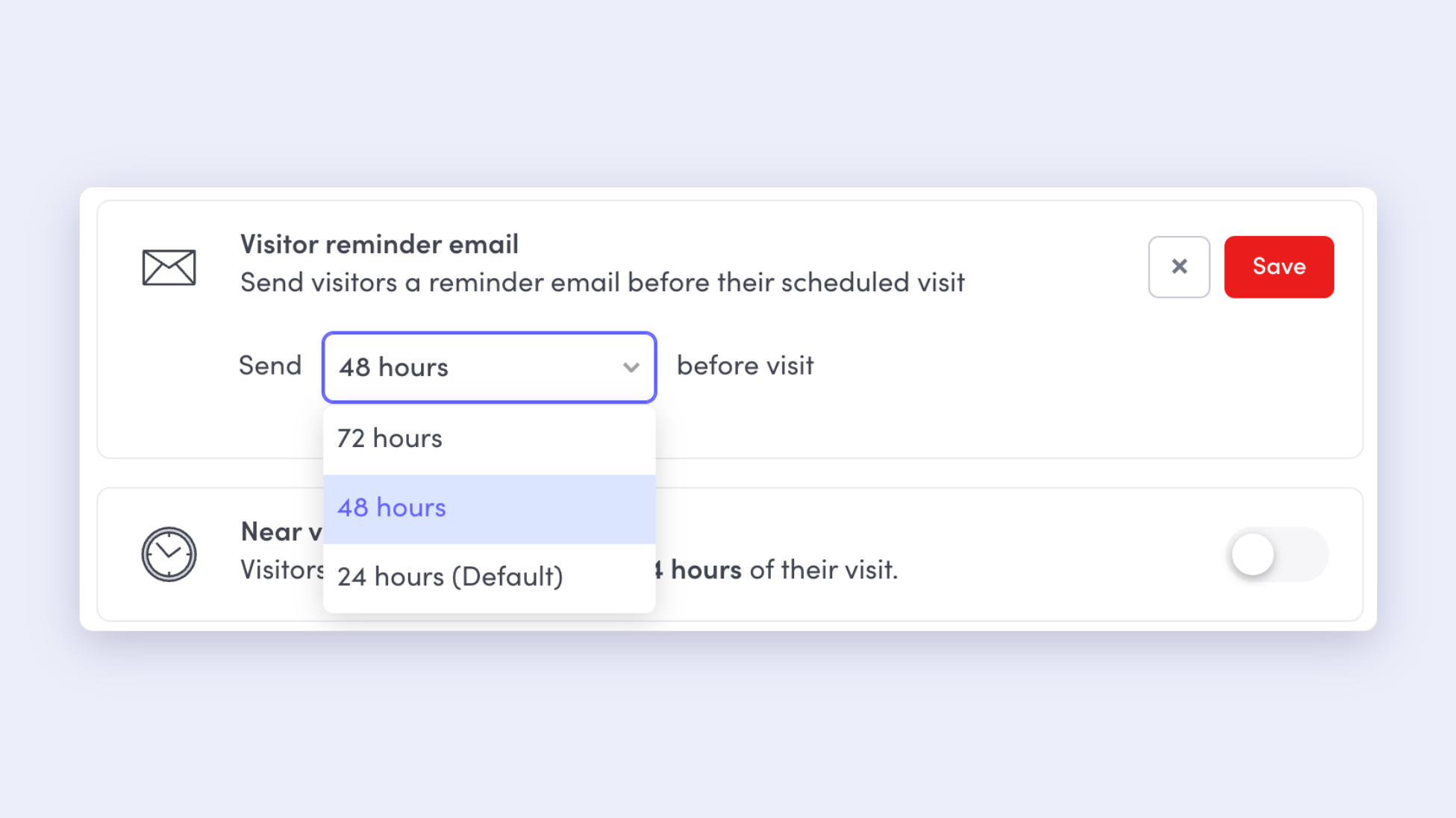
- Set custom intervals for visitor reminder emails: You can now customize the interval in which reminder emails are sent to visitors. By default, invited visitors will receive a reminder email 24 hours before their visit, but you can now change the default window and select from a reminder that gets 24 hours, 48 hours, or 72 hours in advance.
→ Learn more about setting custom intervals for reminder emails
Full-lifecycle emergency notifications for everyone onsite
Whether you're managing a fire evacuation, a security incident, or a severe weather event, you need to know that every employee, contractor, and visitor onsite has received your message, and that your response records will hold up to scrutiny. Envoy's emergency notifications give safety and workplace teams a reliable, structured way to communicate throughout an incident, track who's responded in real time, and export a complete audit trail from first alert to all clear.
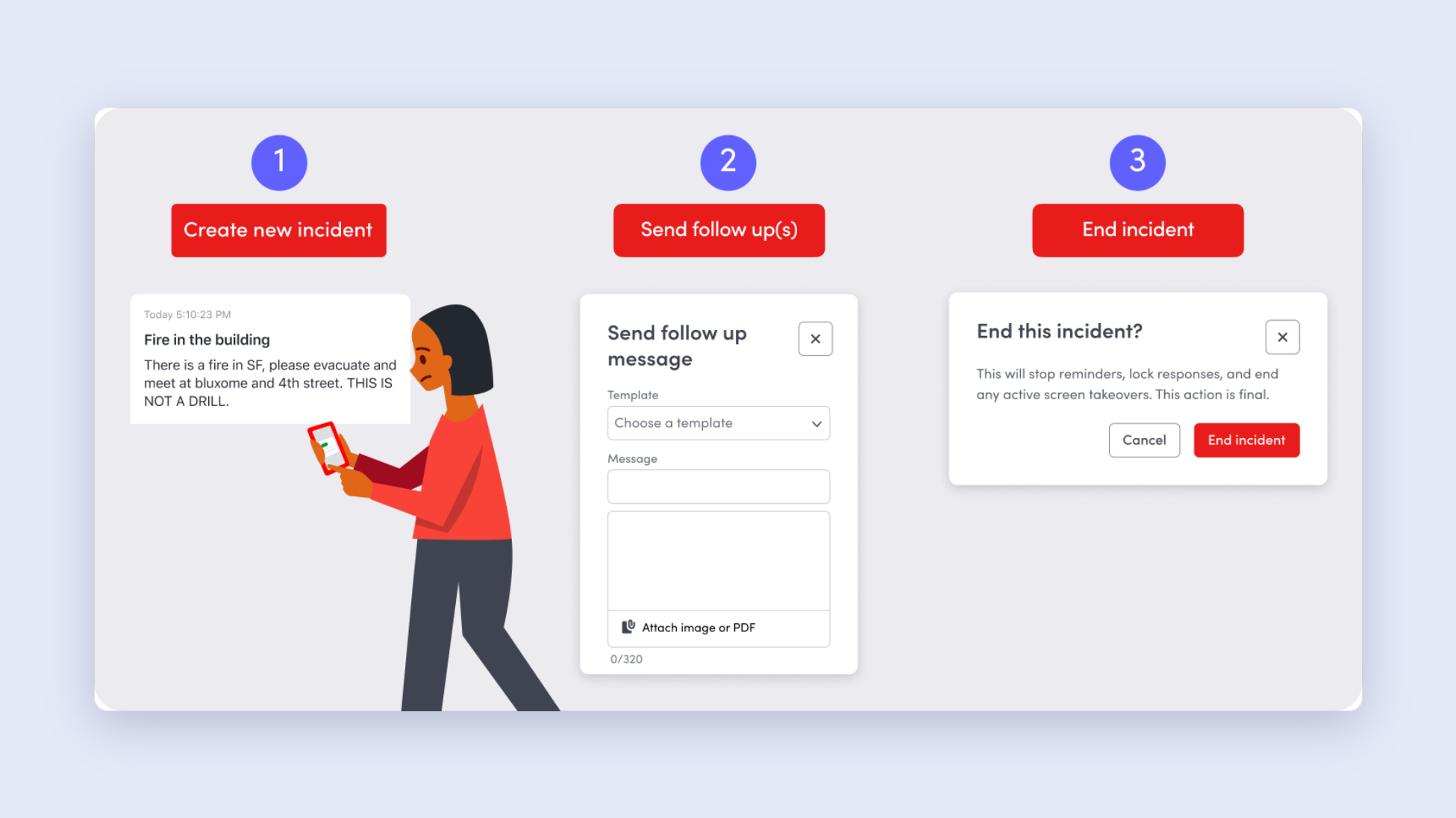
- Send follow-up emergency notifications: You can now send follow-up messages inside any active incident. Every message rolls up into one incident record, with per-message delivery tracked. Exports include the full incident timeline, including messages, responses, roll call, and any follow-up messages—so your audit trail stays clean.
→ Learn more about sending follow-up messages in emergency notifications
Platform integrations for presence signals you can rely on
There are 100+ integrations with Envoy that strengthen the platform and make it more plug and play for your existing operations. But when access control systems, badge readers, or network infrastructure fall out of sync, the effects ripple through occupancy tracking, visitor access, and compliance reporting—often without anyone noticing until the moment something breaks. Now you can troubleshoot key integrations before they affect your operations or your data.
- Integrations Health Dashboard: Workplace admins now have a single place to monitor integrations in real time: see what's working, understand what went wrong, and resolve common issues. The Integrations Health Dashboard also helps you derive operational insights like how integrations are being used across your office locations. This release will show the following integrations on the dashboard: Aruba Central, Cisco Meraki, Brivo, Avigilon Alta (Openpath), Netbox, and CCURE.
→ Learn more about the Integrations Health Dashboard
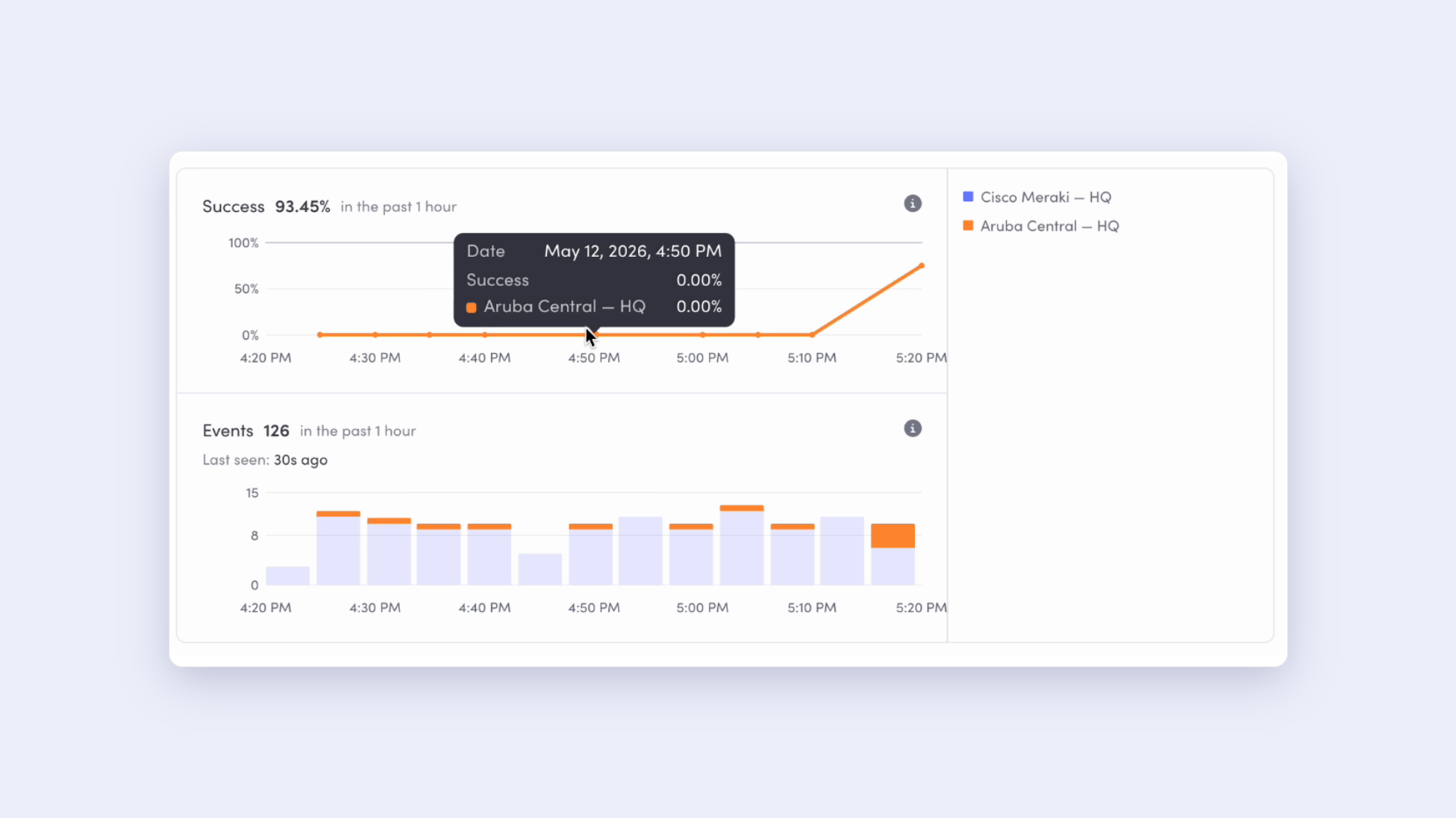
- Microsoft Intune + Envoy integration: Envoy can automatically sync the MAC addresses of employees' managed devices, eliminating the need for manual CSV uploads. The result is more accurate and reliable data through Wi-Fi-based presence integrations, like Cisco Meraki and Aruba Central.
→ Learn more about the Microsoft Intune + Envoy integration
- Prism by Building Engines integration: The Prism by Building Engines + Envoy Visitors integration automatically syncs visitor access between Envoy and the Prism building operations platform. When visitors are invited, updated, or removed in Envoy, their access is reflected in Prism—helping building operations teams maintain an accurate, real-time view of who is expected on-site.
→ Learn more about the Prism + Envoy Visitors integration
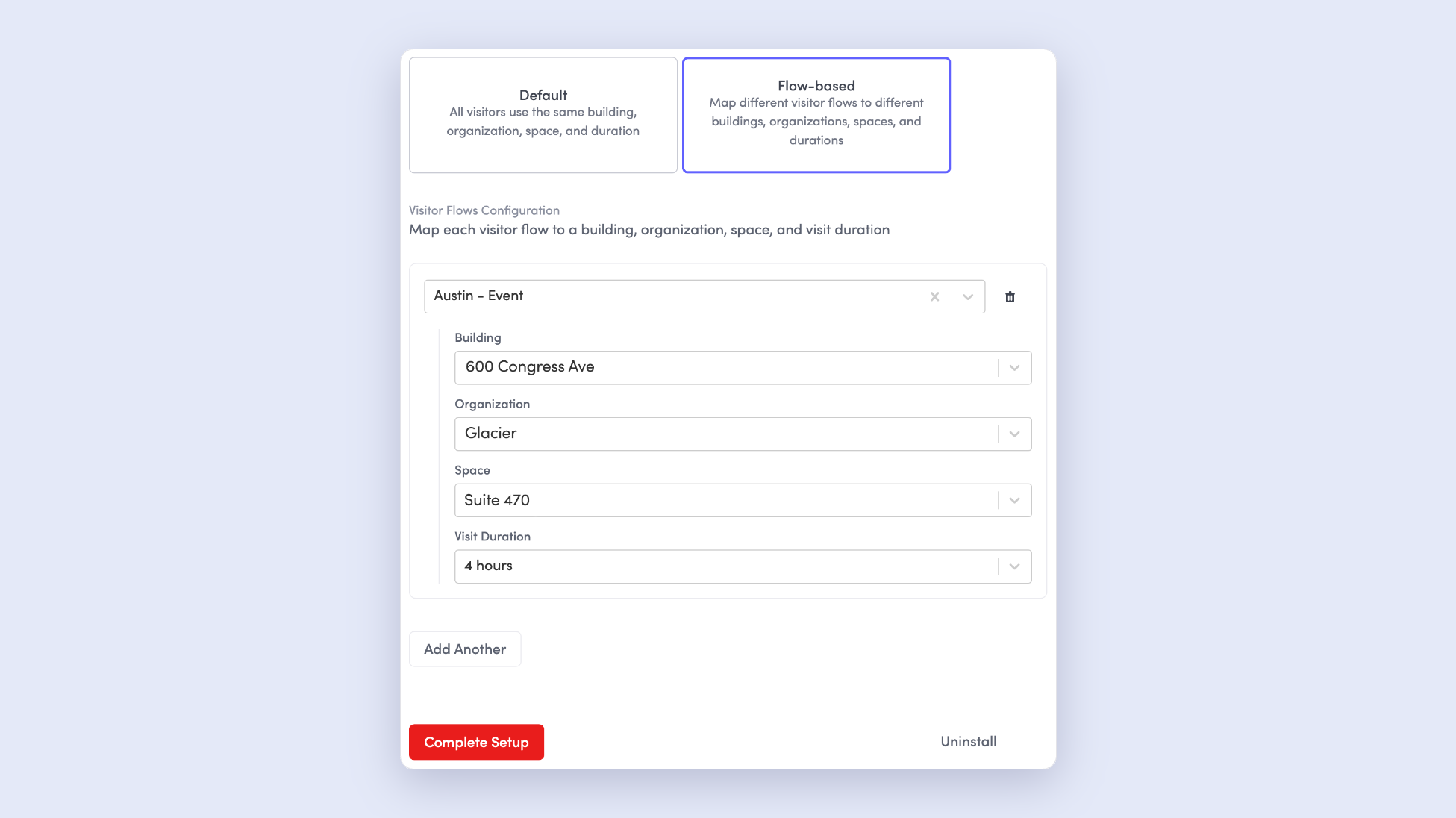
- Rhombus systems access control integration: The Rhombus + Envoy Visitors integration automatically provisions secure, mobile credentials for visitors. When a guest is invited or signs in through Envoy, their access is synced with Rhombus to grant temporary entry—with automatic expiration and full audit logging.
→ Learn more about the Rhombus + Envoy Visitors integration
Efficient move management for dynamic workplaces
Seating is rarely static. As teams grow and reorganize, Envoy's workplace tools help you reduce tool sprawl, and centralize space management and move management with your map as your source of truth—giving admins a structured and visual way to review, approve, and track changes in one place.
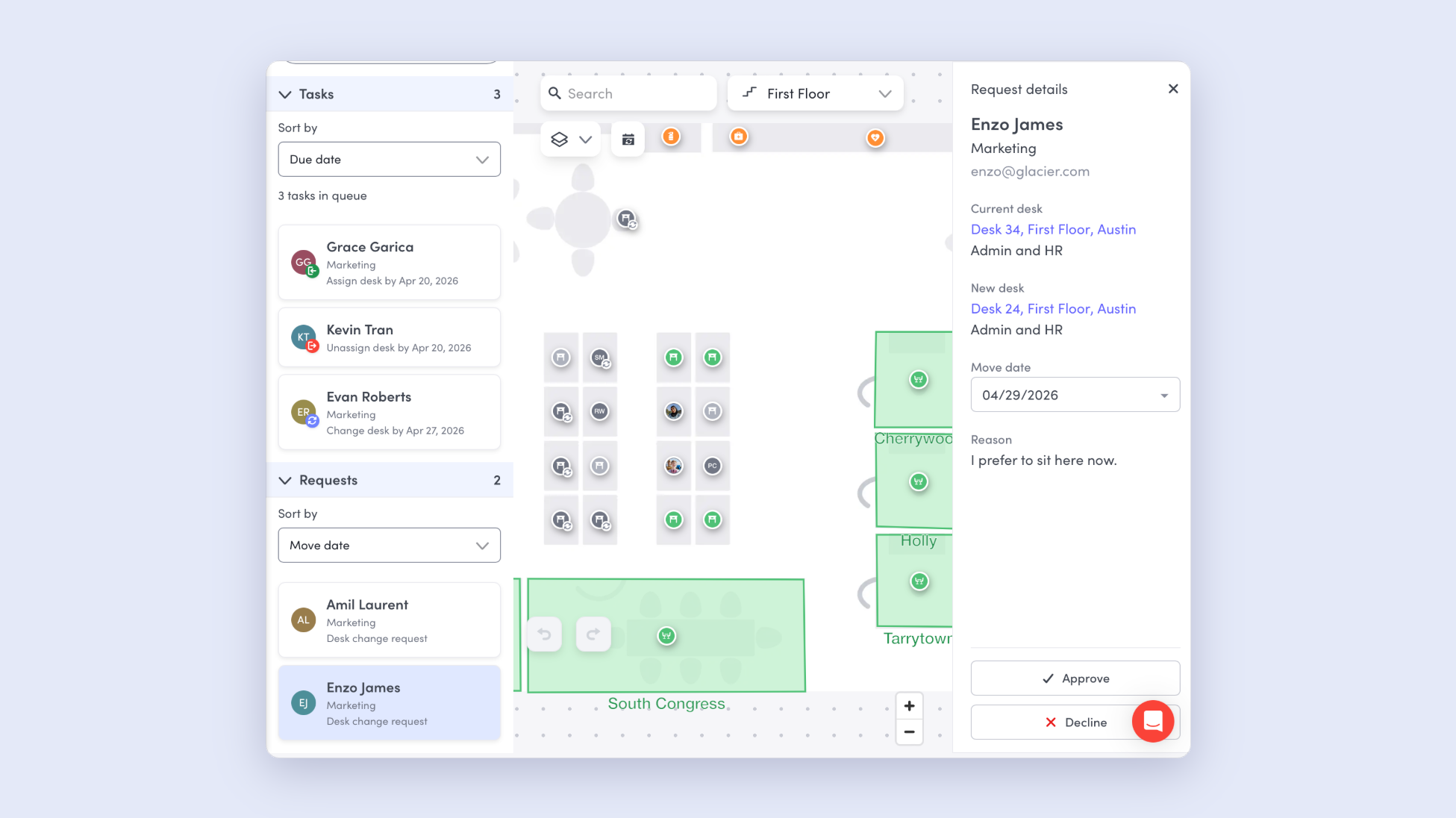
- Employee desk move requests: Employees can submit move requests using the Envoy dashboard. When an employee requests as desk move, their request populates into your Move Queue and is sent to the workplace admin team for review and approval, helping admins manage seating changes and employee-submitted requests in one place.
→ Learn more about employee desk move requests
—
From the front door, to the floor plan
Envoy's May 2026 product releases help workplace teams run safer, smarter operations. See what it looks like when verified identity, physical presence, and workplace operations are all powered by the same platform. Book a demo.
Read more
Envoy’s September 2026 releases help teams manage visitors with less manual work, streamline compliance reporting, and keep access systems in sync.
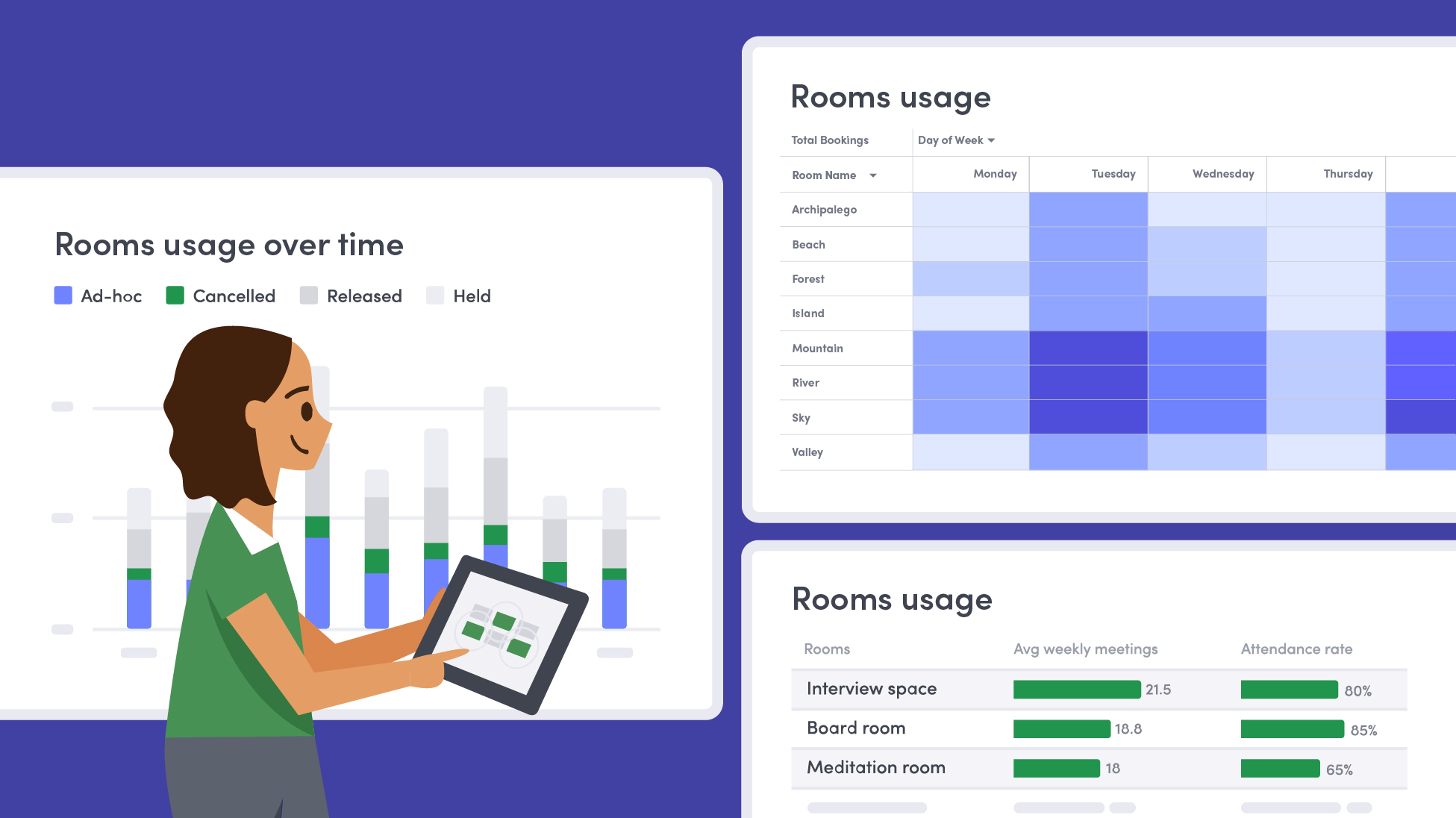
Learn how to measure conference room utilization, occupancy, no-shows, booking density, and more, and use the data to make smarter space decisions.
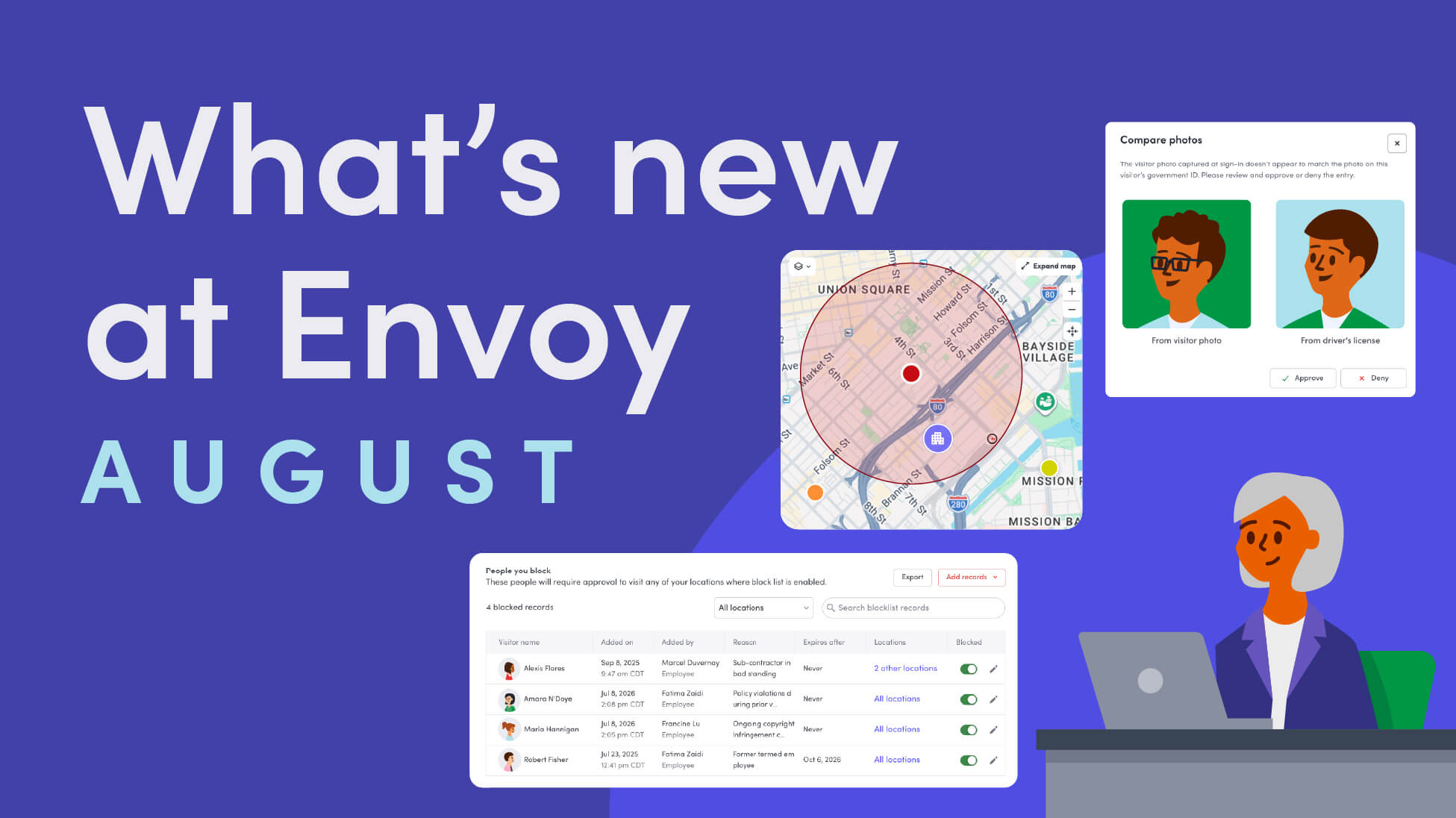
Envoy’s August 2026 releases introduce Envoy Response for emergency management, bringing emergency response into the same platform you already use for visitor and workplace management.

Envoy's July 2026 releases focus on workplace intelligence features like HRIS directory sync, workplace map file exports, and mailroom management improvements through the Developer API.

Envoy data across 300+ U.S. metros reveals the one morning the World Cup actually emptied the office, and it wasn't when you'd think.

Envoy Academy is back with a full refresh. Still free, still on-demand, and organized by role so admins get fluent in Envoy fast.