

What's new at Envoy: August 2026 product releases


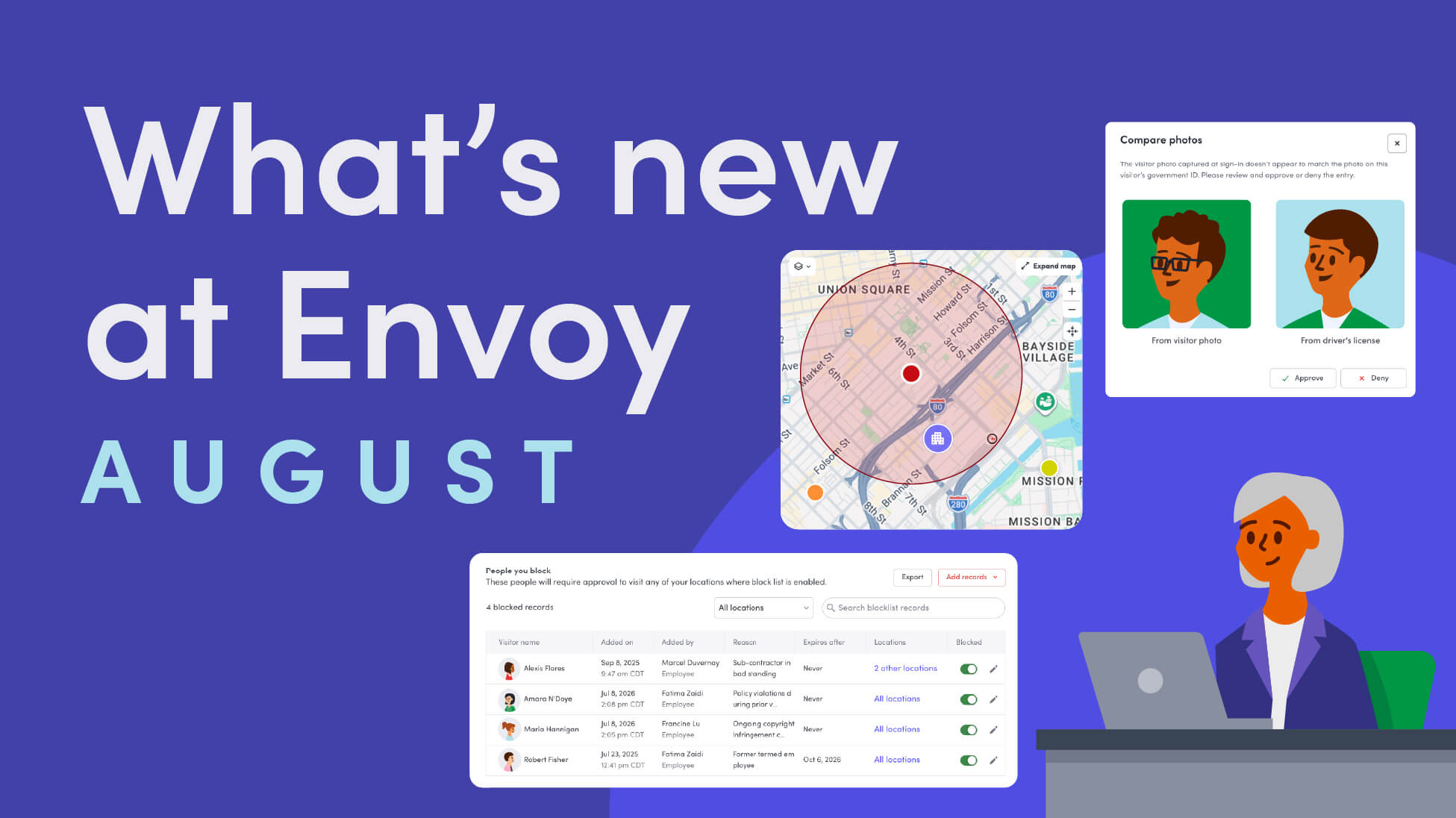
When a threat or a compliance requirement doesn't respect the boundaries of your office walls, your systems need to work across your footprint too. And the people you’re responsible for aren’t limited to your directory—they’re showing up as names on badge lists, contractor rosters, and directories.
August's product releases are built around that idea. The launch of Envoy Response brings threat intelligence and incident management into one system, consolidating emergency management within the platform you’re already using for visitor management and workplace management. Plus, more secure ways to verify visitors at the door, smarter screening for who's allowed on-site, and finer control over who's blocked and where.
Threat intelligence and incident management in one system of record: Introducing Envoy Response
Threat intelligence tools can tell you what's happening in the world. Workplace platforms can tell you who's badged in. Envoy Response knows both—because it's built on the same presence data that already runs your visitor management and workplace. Envoy Response connects global and local threat monitoring, your people's locations, and your emergency workflows into a single threat dashboard, so your team can shift from "something happened" to a coordinated response without switching tools.
- Threat intelligence: Threat Intelligence continuously monitors verified global and local risks across authoritative and AI surfaced sources, helping you identify affected locations and people faster and create incidents from a single dashboard. The threat dashboard works out of the box for every existing location, and you can sync your directory through your HRIS to monitor employee addresses as well.
Learn more about threat intelligence →
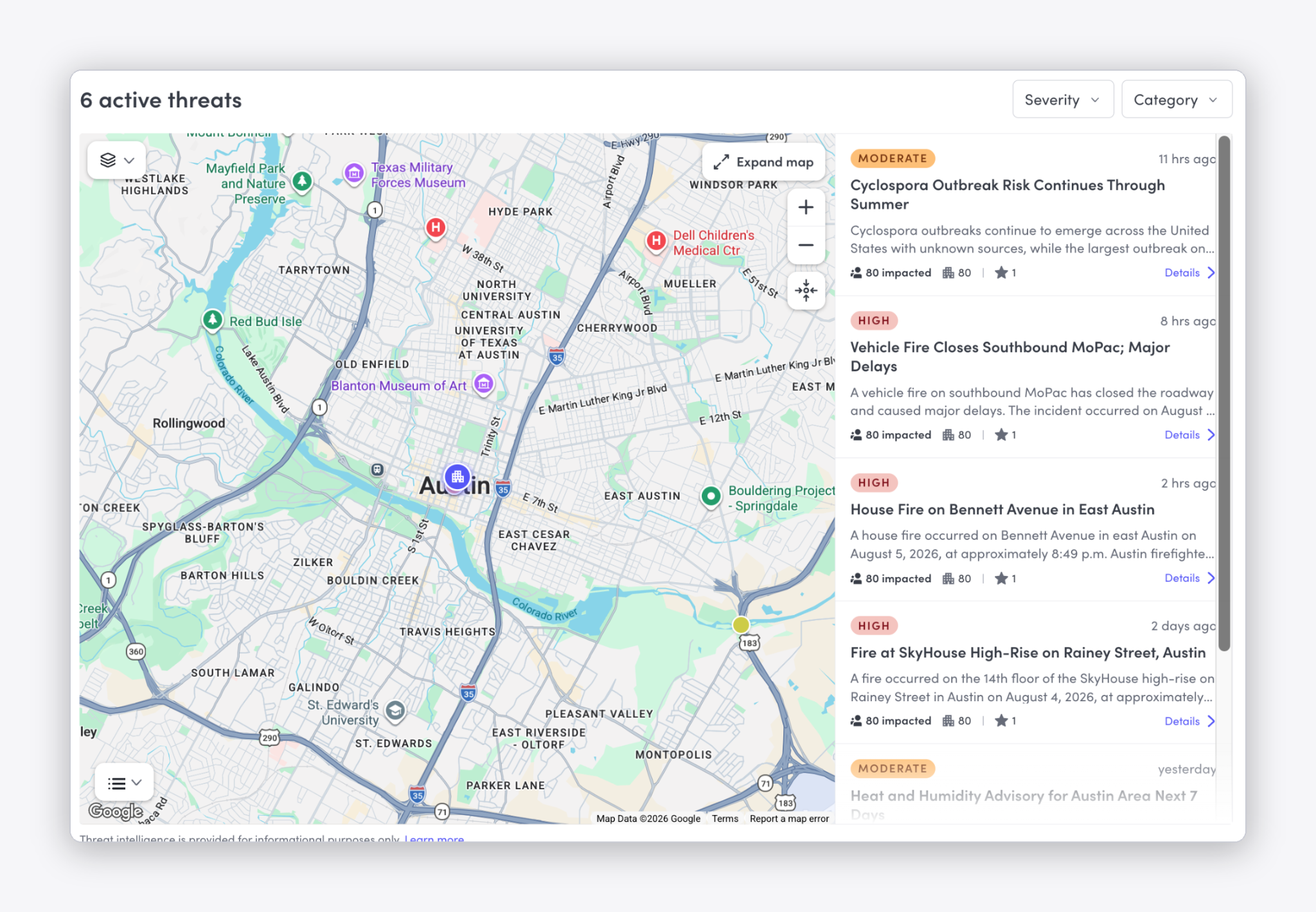
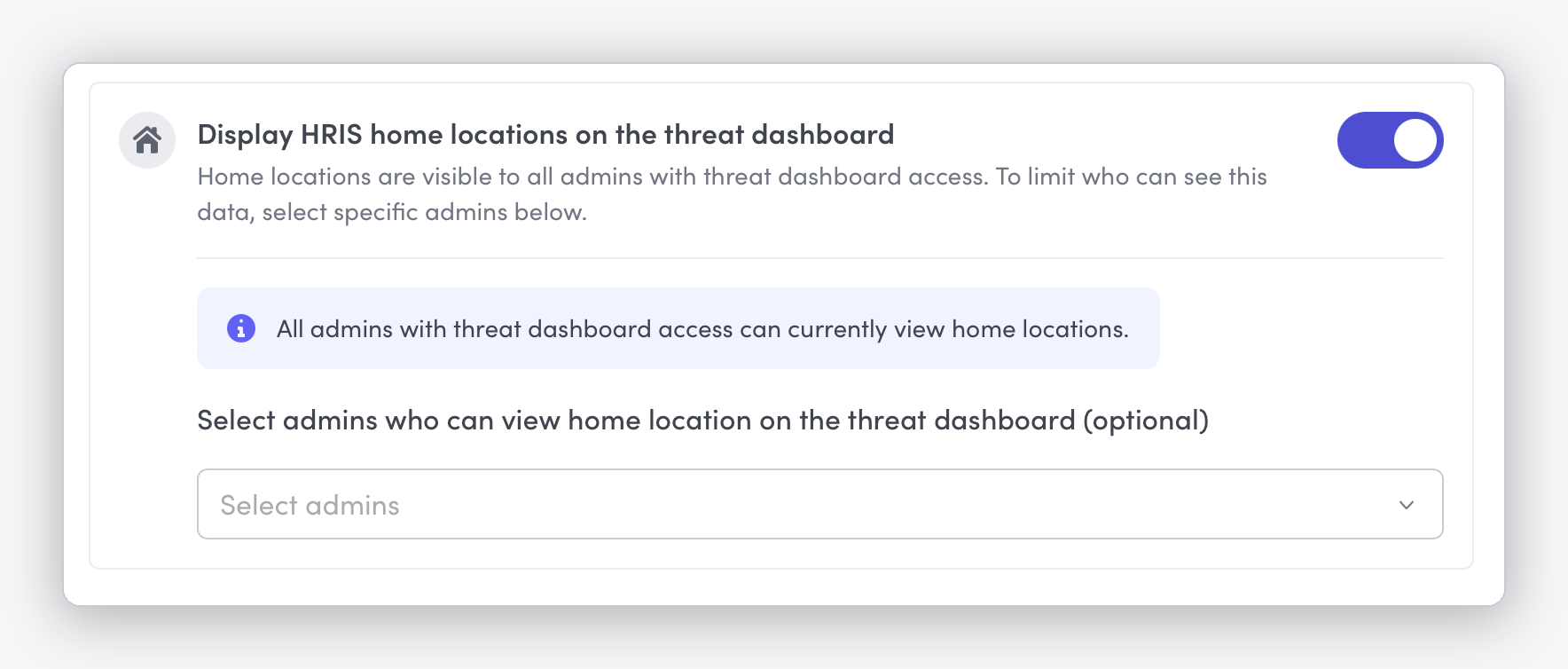
- Remote worker safety: By syncing your directory through your HRIS to monitor employee addresses, employee homes will appear as a layer on the threat dashboard map and are included in the impacted counts for each active threat. Remote worker safety includes offsite employees in emergency notifications, lets them confirm they're safe, and extends your duty of care beyond the office from the same response workflow.
Learn more about remote worker safety →
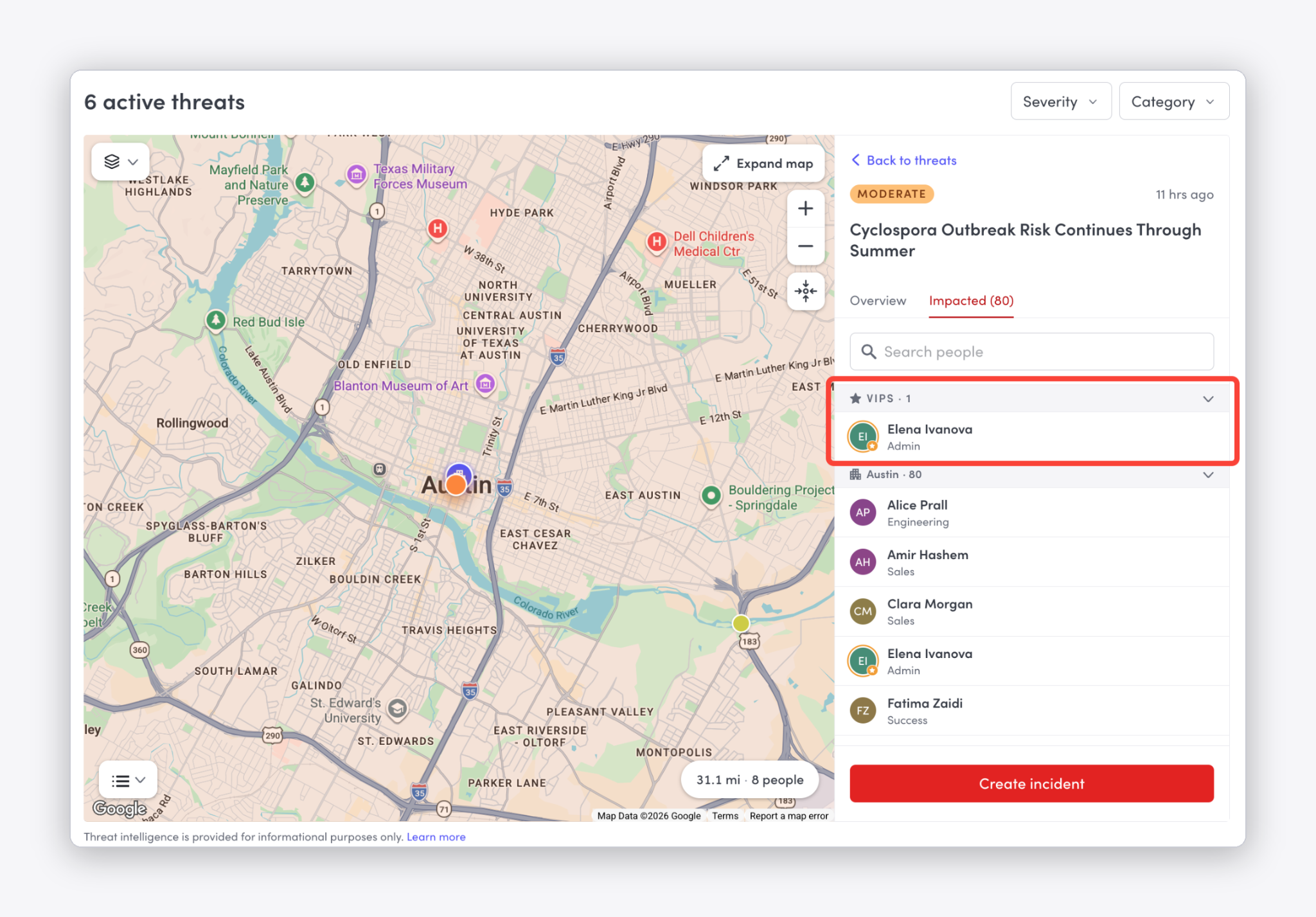
- Executive/VIP protection: Monitor specific employees, like executives and other VIPs, and get notified the moment a threat appears near their home or office location. Instead of monitoring an entire region, you can designate individuals, draw a radius around each one, and decide who's alerted when a threat lands inside that radius.
Learn more about executive and VIP protection →
- Traveling employee safety: Travel is one of the highest-risk windows in any duty of care program, and it's easy to lose visibility into employees the moment they leave the office. Keep traveling employees informed of emergencies and threats that can impact their trip, and monitor traveling employee safety from the same threat dashboard you’re using to monitor threat intelligence, on-site worker and visitor safety, remote worker safety, and executive/VIP safety. At launch, this works with Navan, with more travel integrations planned.
Learn more about travel risk management and Navan integration →
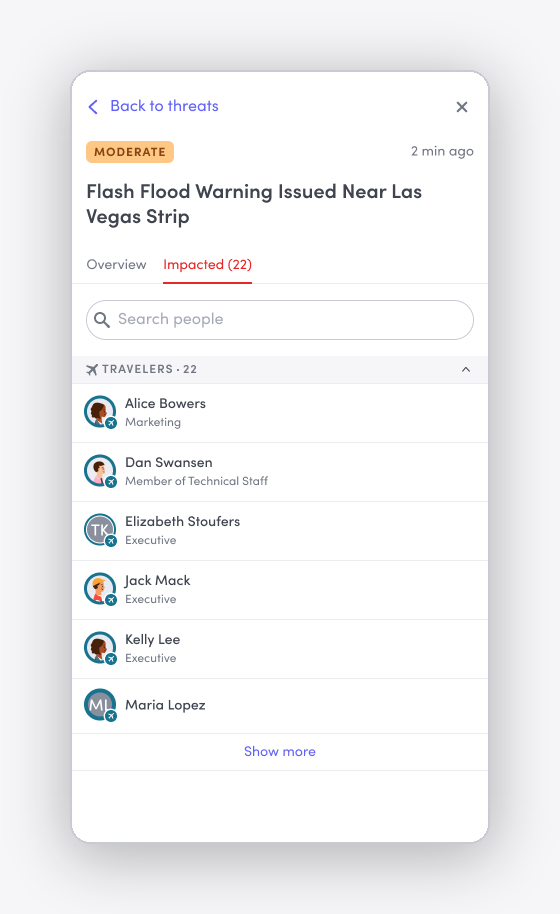
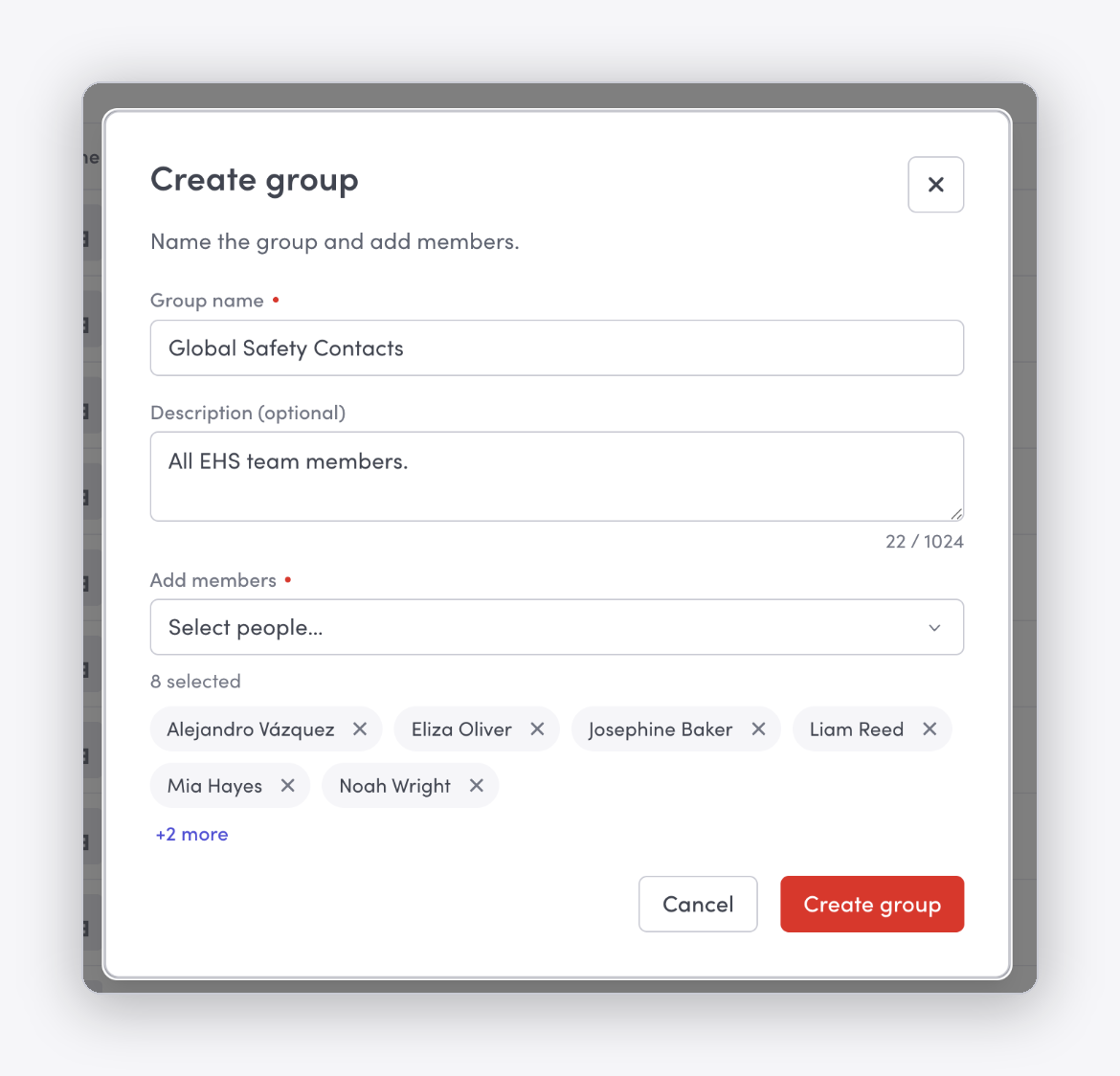
- Custom global employee groups: For targeted emergency communications or incident templates, you can create custom employee groups. This is especially helpful when the people who need to receive or respond to an incident don't fit neatly into your existing directory groups. Custom recipient groups appear alongside your existing directory and synced groups when you send a notification or create a template.
Learn more about custom global employee groups →
A safer front door, from visitor sign-in to sign-out
These releases improve connectivity so that an identity that's verified once stays attached to the person across every visit and every site. For example, ID verification now runs natively inside Envoy's own infrastructure. That means fewer parties ever handle a visitor's passport or license, ID data stays inside Envoy's audited environment, and there's one accountable owner for the whole pipeline.
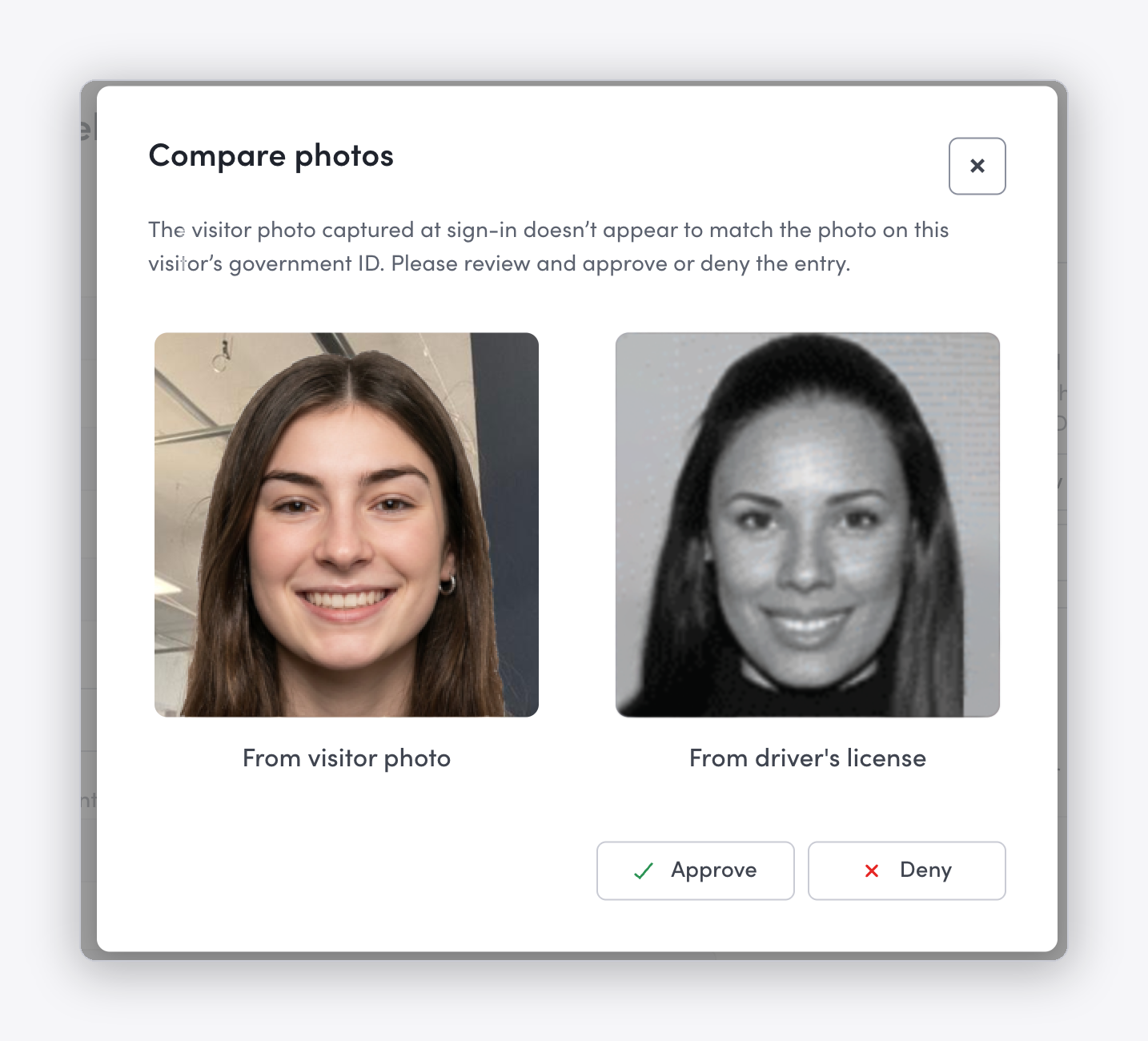
- Envoy ID scanning and verification: At sign-in, Envoy checks the ID's data and format, confirms the name on the ID matches the visitor record, checks the visitor against your ID blocklist, and matches the ID photo to the visitor's sign-in photo—with a front desk, location, or global admin able to approve any mismatch. Sign-in, approval and resubmission steps, supported ID types, and retention all stay the same.
Learn more about ID scanning →
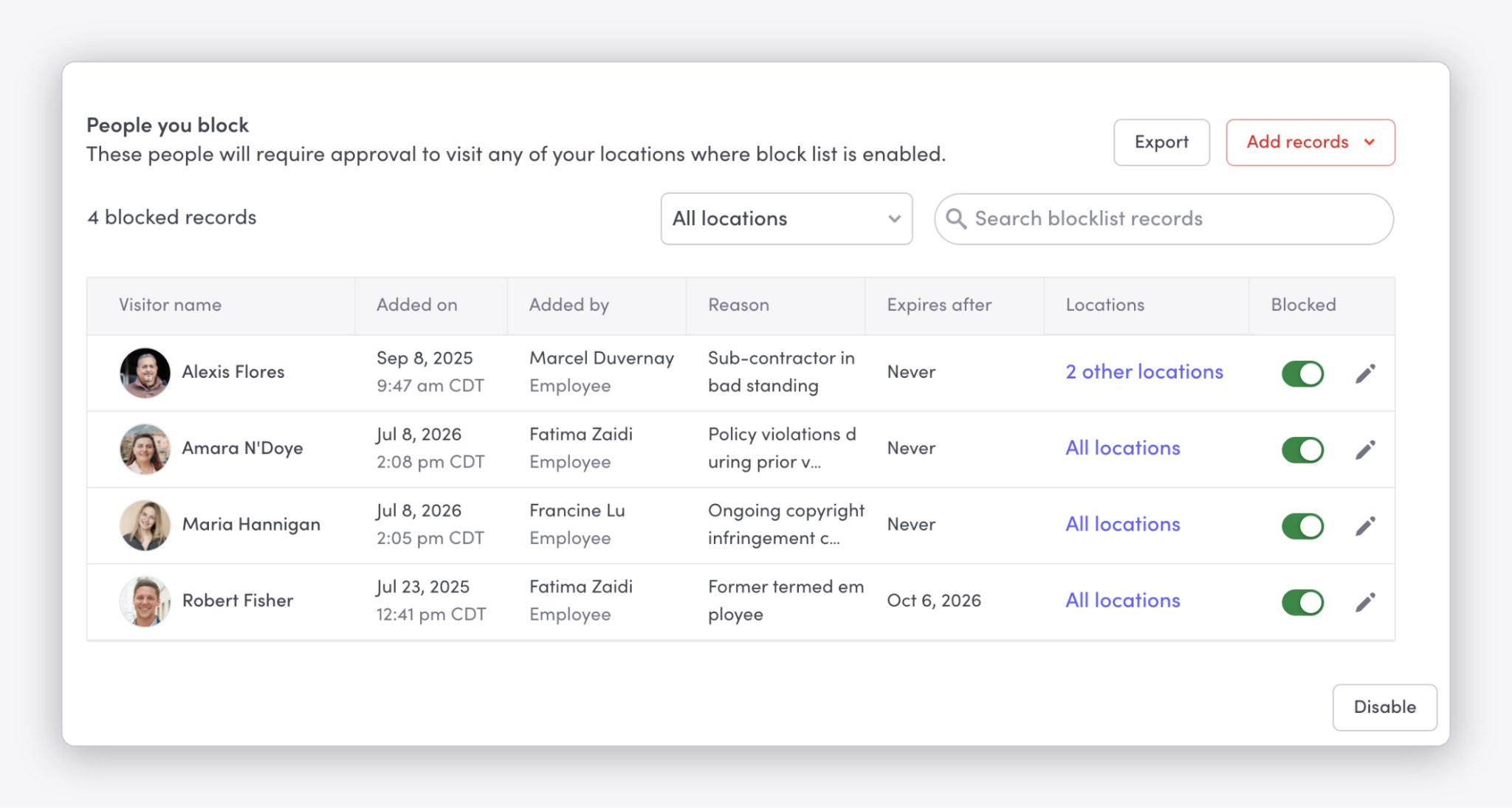
- Location-based blocklists: Envoy's blocklist now supports location-level blocking. Instead of every blocklist record applying across your entire company, you can create records that only apply at the locations you choose. This allows location-specific teams to block someone at their own site without affecting everyone else, while keeping your company-wide (global) blocklist protected.
Learn more about location-based blocklists →
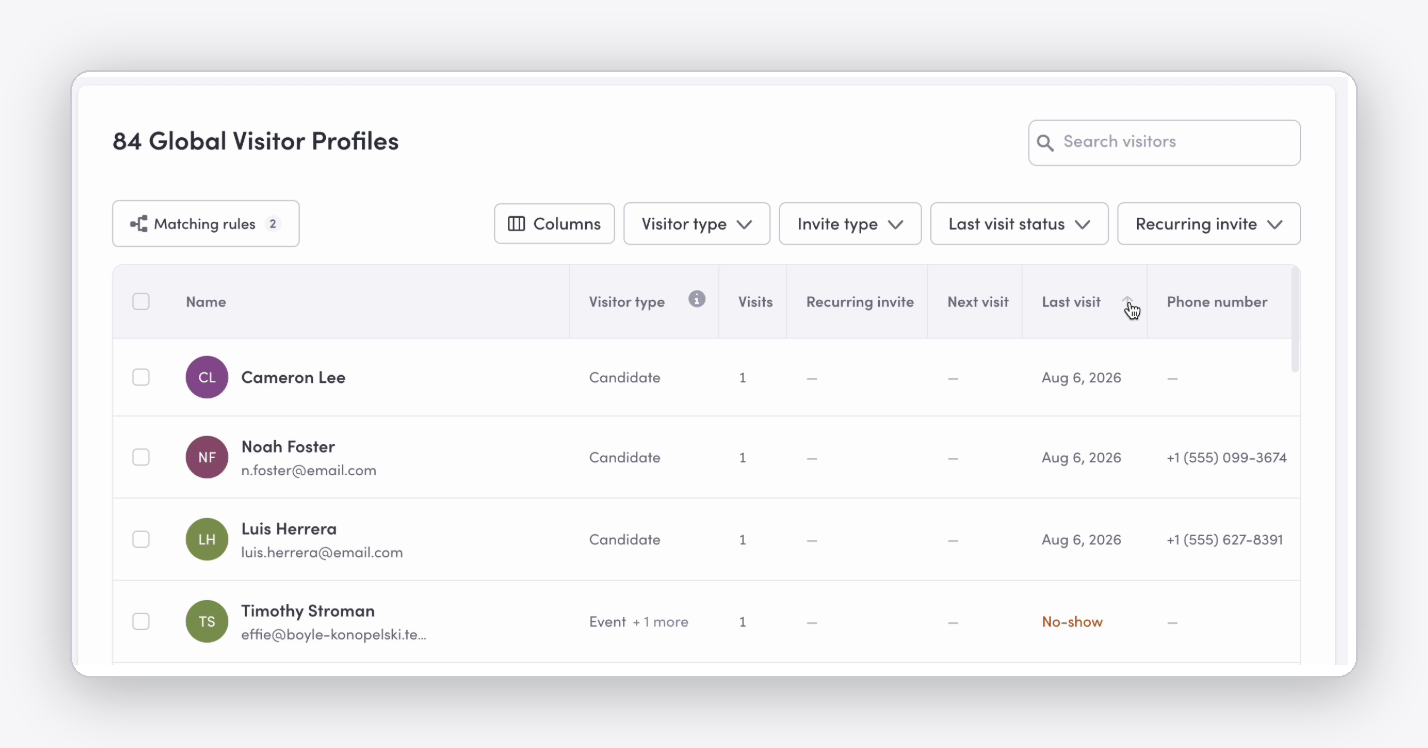
- Searchable Visitor Directory: Envoy's Visitor Directory provides a complete record of everyone who has signed in at a location, from contractors, delivery drivers, and clients to VIP guests. With this release, the directory is now searchable and actionable, so it's easier to discover, filter, and sort what you need.
Learn more about the Visitor Directory →
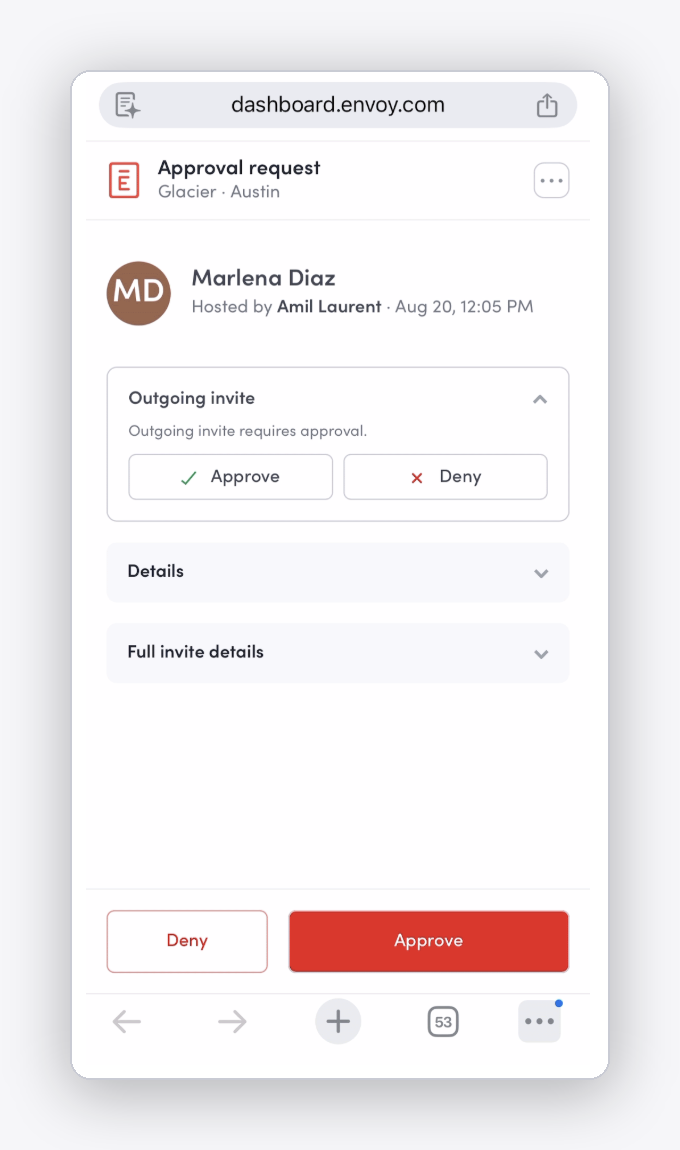
- Visitor approvals mobile dashboard: Approving visitors from your phone just got easier. The new mobile-friendly dashboard puts visitor details front and center, so you can review a request and approve or deny it while on the go.
Learn more about visitor approvals →
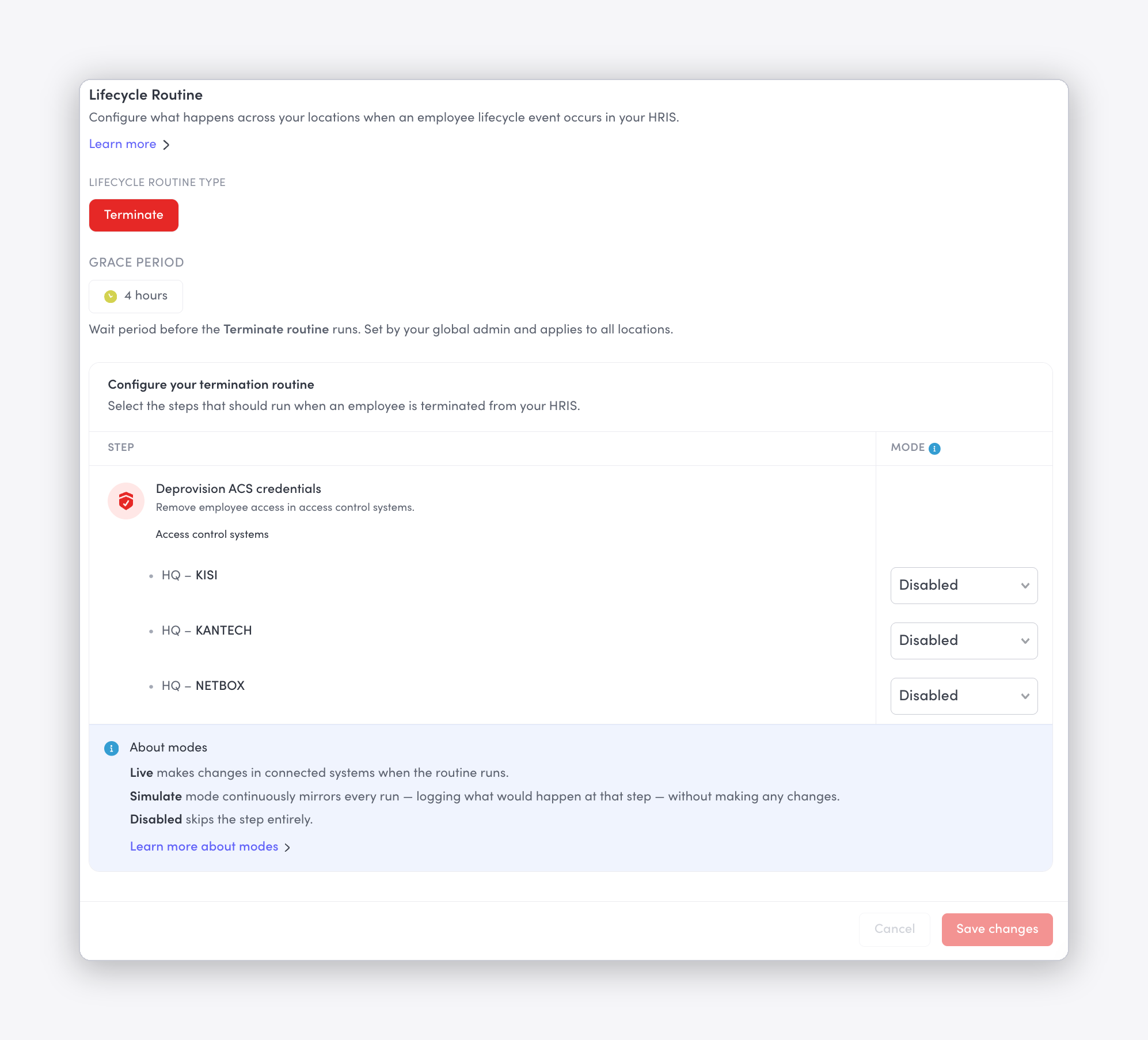
- HRIS off-boarding automations (beta): When an employee is terminated in your HRIS, that signal now reaches Envoy. After a grace period you control, Envoy can suspend badge access across connected access control systems (including Brivo, C•CURE, Genea, Genetec, Kantech, and Lenel S2/NetBox) and automatically add the person to your blocklist or watch list. Most access control systems don't natively know when someone's been let go—this closes that gap so a termination doesn't leave a door unlocked.
Learn more about HRIS off-boarding automations →
—
Turn workplace presence into a safety advantage
Using Envoy to consolidate visitor management and emergency management means the same presence data that greets a visitor at your door is what tells you who's safe when a threat appears. Check out this product demo and learn more how customers use Envoy to be proactive about safety and security.
Read more
Envoy’s September 2026 releases help teams manage visitors with less manual work, streamline compliance reporting, and keep access systems in sync.
Learn how to measure conference room utilization, occupancy, no-shows, booking density, and more, and use the data to make smarter space decisions.

Envoy's July 2026 releases focus on workplace intelligence features like HRIS directory sync, workplace map file exports, and mailroom management improvements through the Developer API.

Envoy data across 300+ U.S. metros reveals the one morning the World Cup actually emptied the office, and it wasn't when you'd think.

Envoy Academy is back with a full refresh. Still free, still on-demand, and organized by role so admins get fluent in Envoy fast.
Envoy's June 2026 releases help you close gaps between physical and digital systems with smarter visitor data controls, seamless move management, and real-time workplace intelligence.