

Visitor management built for enterprise security and compliance
Manage visitors across every location with enterprise-grade control, visibility, and compliance in one platform.

Powering visitor management for the world’s most critical workplaces


Support security and compliance across every location
Manage complex security and compliance requirements across locations without adding friction to the front door.


Where enterprise visitor management breaks down

Systems are fragmented
Siloed tools create blind spots in visitor tracking and compliance. Without a unified system, it’s harder to enforce consistent security policies and control who can access your facilities.
Processes are manual & inefficient
Paper logs and manual workflows slow audits and introduce risk. This leads to records you can’t trust and delays to audit-readiness.
Visibility is limited across sites
Without real-time visibility across every workplace, teams lack a clear view of who’s onsite, when, and why—making security gaps harder to catch.
Workflows vary by location
When every location follows its own process, compliance gaps are inevitable. Inconsistent workflows make it harder to meet the same security and regulatory standards.
Visitor data is distributed
When check-in data lives across multiple systems, reporting becomes slow and error-prone. This makes it difficult to produce complete, reliable records during audit.
A complete visitor management solution for enterprises
Manage visitor interactions across every location with the control, visibility, and compliance your enterprise requires—all from a single platform.

Centralize visitor operations at every location
One standard for every site, with room for local needs. Set visitor policies once for the whole organization. Then let each site adjust workflows for its own regulations, buildings, and teams.

Turn policy into practice at every door
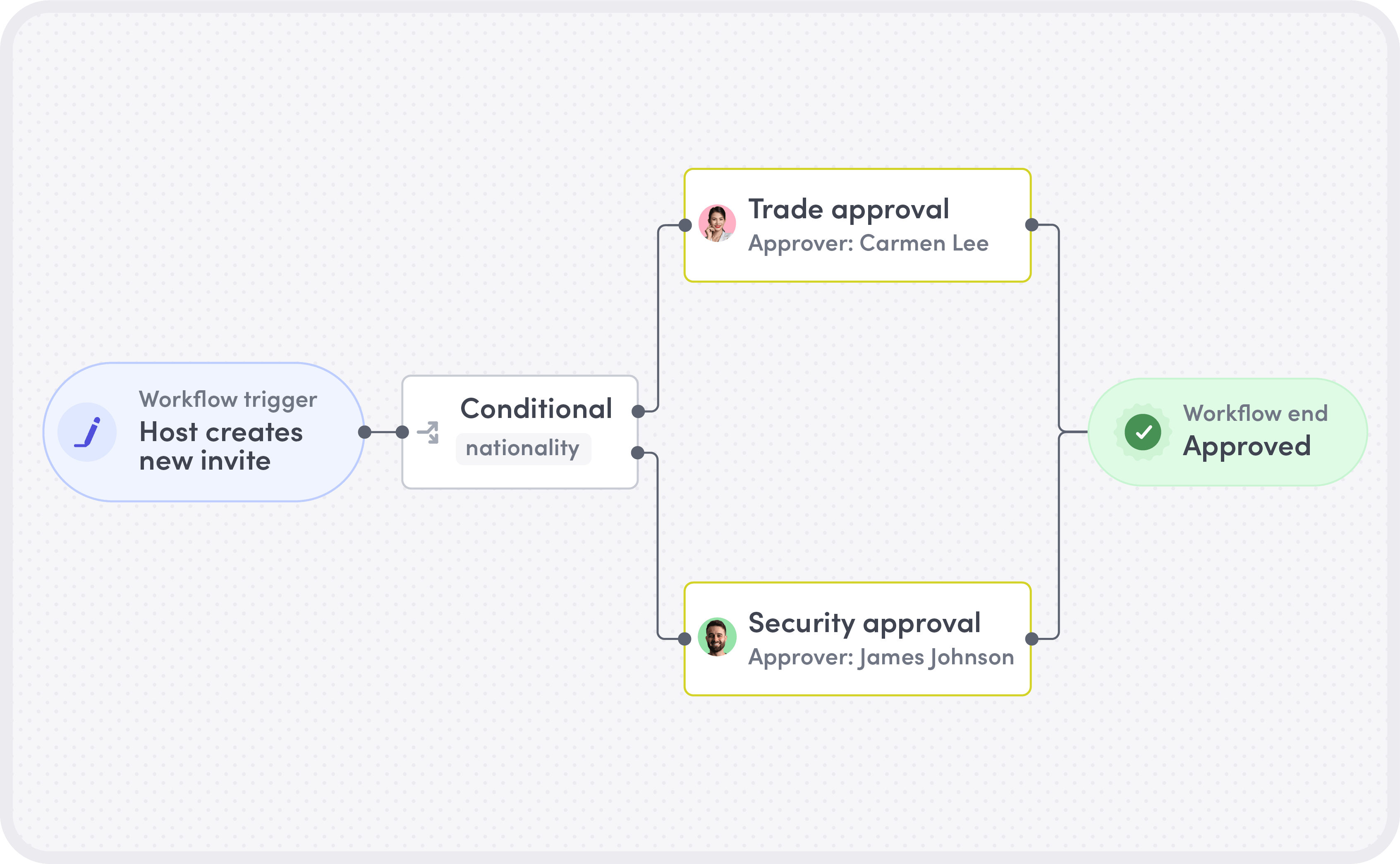
Put your security and compliance requirements into practice at every site. Set up visitor flows by site and visitor type, require the information you need, and build in multi-step host and security approvals.

See who’s onsite across every location
Give your security operations team a live view of who’s onsite across hundreds of locations. Bring visitors and contractors into your emergency response, coordinate across regions, and back every audit with accurate, site-level records.

Connect to your existing systems
Sync your employee directory from Okta or Microsoft Entra ID, connect visitor access to LenelS2, route requests through ServiceNow, and notify hosts in Slack. Every facility keeps accurate, up-to-date records without extra work for IT or security.
Enterprise-grade features to secure your workplace
Everything your security and workplace teams need to manage visitors with confidence—built for complex, distributed environments.

Customizable sign-in flows
Configure each step of the check-in process—fields, approvals, and workflows—to match the requirements of each location or visitor type.

Badge printing & access control integrations
Trigger badge issuance and push access credentials to connected control systems automatically after a completed check-in.

ID scanning and verification
Check IDs for fraud indicators, expiration, and name and photo matches. For deeper verification, Visitors Critical supports hardware readers that inspect document security features.

Approval workflows
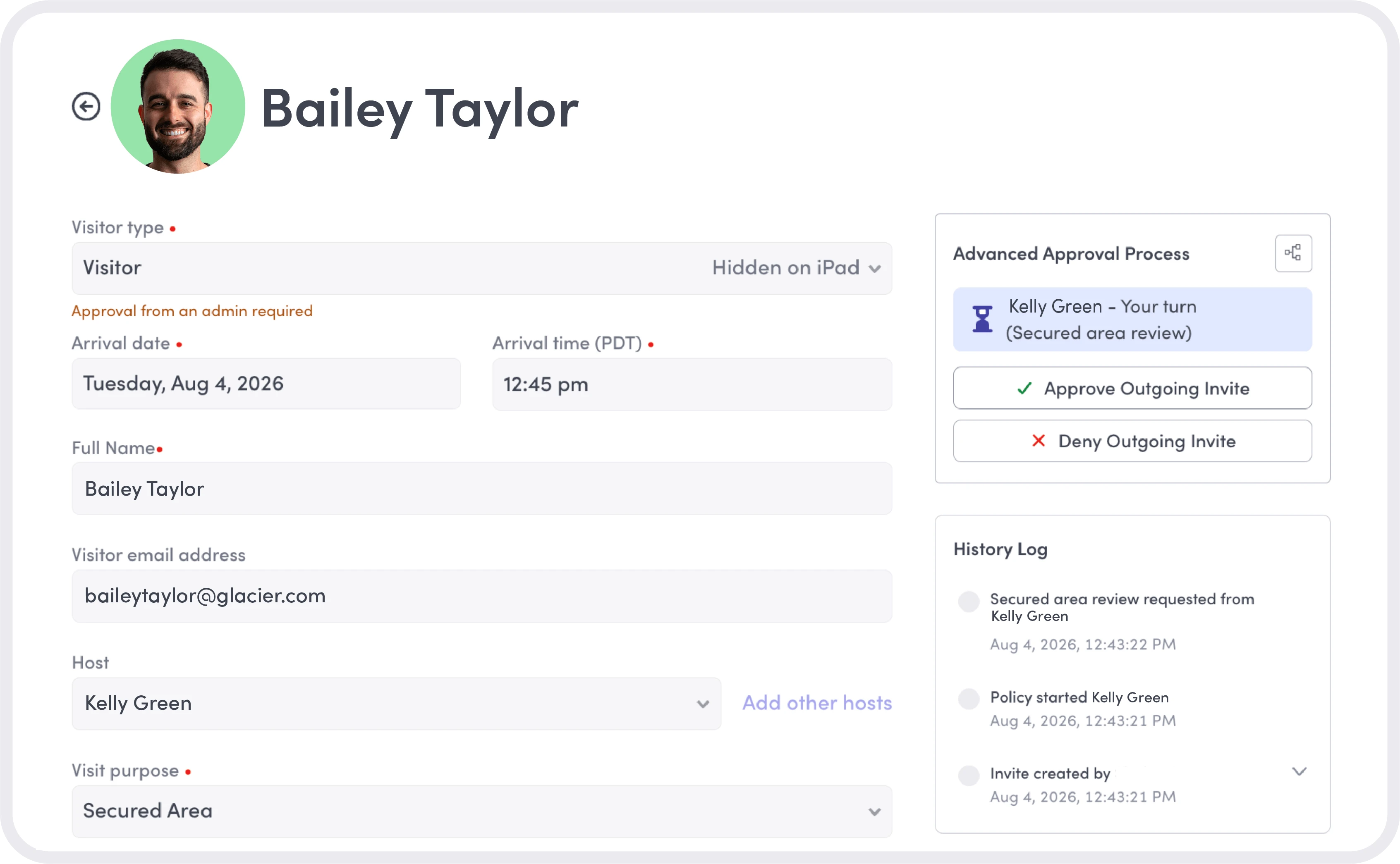
Route visits through designated reviewers in the order your policies require. Visitors Critical applies the same approval process to invited and walk-up visitors, with decisions recorded along the way.

Automated document collection
Serve required documents (NDAs, safety waivers, certifications) at check-in and capture signed copies digitally. No manual distribution or follow-up.
Explore visitor document collection

Host notifications
Trigger real-time arrival alerts across Slack, email, or SMS so hosts can greet VIPs and guests without delay. Deliver a consistent, high-touch experience at scale.
Explore host notifications

Sensitive data handling
Control who can view personal information and sensitive visitor fields with Visitors Critical. Role-based permissions apply across notifications and communication channels.

Visitor screening
Use the supported screening integrations in Visitors Critical to check denied-party lists and contractor qualifications, helping your team review restrictions and site requirements before approving a visit.
How enterprises use Envoy to secure their workplaces
Explore how enterprise teams use Envoy to standardize workflows, strengthen security, and handle real-world operational challenges at scale.
To standardize visitor workflows globally
For security leads managing multiple locations across regions, inconsistency is a liability. Envoy gives them a single framework to roll out and enforce, so every location operates to the same standard, no matter their size or geography.

To prepare for audits and compliance reviews
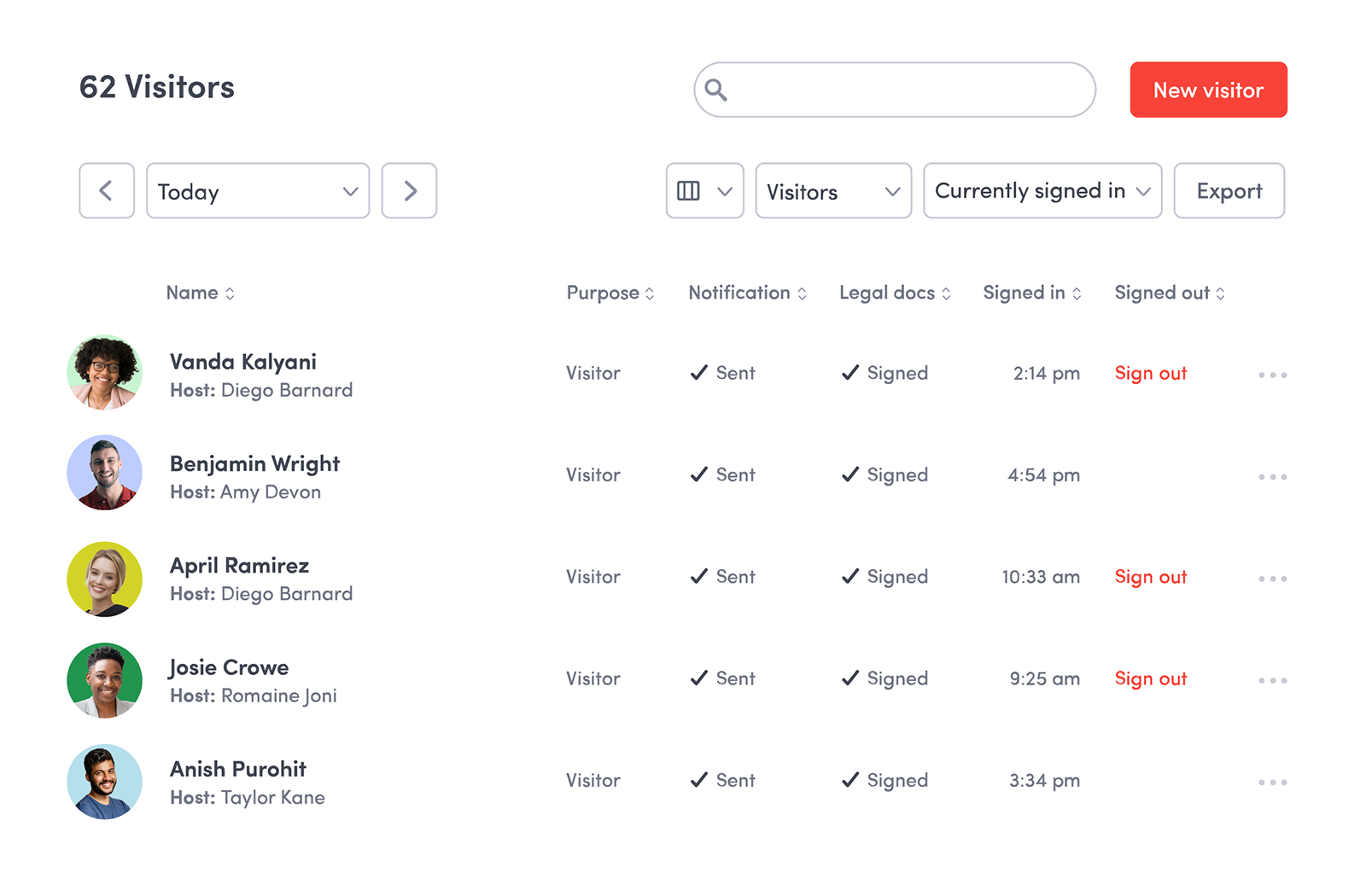
When a compliance request arrives, your team needs records it can find and review. Envoy brings visitor details, signed documents, and approval records together in searchable logs that can be filtered and exported.
To automate access for secure facilities
For facilities teams managing restricted areas, manual credentialing is a risk. Envoy connects check-in directly to access control so that authorization happens automatically and is revoked when a visit ends.
To deliver seamless VIP & executive experiences
Front desk teams rely on Envoy to handle high-profile visits with precision. The system ensures the right people are notified automatically so guests are never left waiting or unattended.

When visitor access requires greater scrutiny
For sites where the wrong person getting in could put people, operations, or sensitive work at risk, Visitors Critical brings approval workflows, visitor screening, sensitive data handling, and ID scanning and verification into one connected process. Apply your visitor policies consistently and keep a record of the decisions behind each visit.
Trusted by enterprise companies


We can collect all the data we need to meet our compliance requirements in one, centralized place. We trust that Envoy protects that data, stores it securely, and does so globally. That’s a big win.”
JONATHAN PRIGANC
Director, Business Systems, Commercial & Corporate Affairs at Parker Meggitt

Connect visitor management with the rest of your workplace
Visitor management is just the start. Envoy connects the tools your teams rely on, so operations run smoothly across every location, not just at the front desk.

Resource booking
Empower employees to book desks, meeting rooms, and parking from one place. They can plan their onsite days with confidence and admins can track utilization across every location.
Learn about Envoy’s resource bookingCritical event management
Detect nearby threats, alert people who may be affected, and coordinate response during outages, maintenance events, security incidents, and other disruptions.
Dive deeper into Envoy Response

Deliveries
Streamline your mailrooms and avoid missed packages with automated notifications that ensure every delivery reaches its recipient. No manual tracking or follow-up.
Learn about Envoy for mailroom managementIntegrations
Connect with your existing tech stack (from access control to identity providers) so everything flows together seamlessly. Choose from 100+ pre-built integrations, or build your own with Envoy’s open API.
Explore Envoy’s integrations

Analytics
Envoy captures data from multiple sources—including door access scans, WiFi, and employee app sign-ins—so workplace leaders get the most reliable, unified view of their workplaces without manually compiling reports.
Check out Envoy’s workplace analytics
Still have questions?
We can help.
An enterprise visitor management system gives organizations a single, centralized platform for managing everyone who enters their facilities. For enterprise teams, that means consistent security policies across every location, a complete record of every visit, and documentation that’s captured automatically—not reconstructed when compliance comes calling.
Envoy automatically captures every visitor interaction (check-ins, signed documents, approvals, and identity verifications) so your records are always complete and audit-ready. When a compliance review comes around, your team can surface the information they need in minutes, not days. And they can do it in one centralized place with the confidence that it’s stored securely and accessible globally.
Yes. Envoy is built for multi-site enterprise environments. You can enforce consistent check-in policies globally while giving each location the flexibility to configure workflows that meet local requirements. Approved admins get a unified view across all sites, so there are no blind spots, no matter how many locations you operate.
Badge access integrations connect with access control systems to automatically sign in and register people to come onsite—so credentials are granted in real time, without manual intervention. Envoy supports integrations with leading access control providers and can be connected to your existing infrastructure without ripping and replacing what’s already in place.
Envoy gives you control over what’s collected at check-in. Beyond contact information, you can capture government-issued ID, signed NDAs or safety certifications, health attestations, visit purpose, and host information—all automatically logged against each visitor record and retrievable whenever your team needs it. Learn more about sensitive visitor data collection.