

Build visitor access on identity you can trust
A convincing ID can hide a false identity. Stop borrowed IDs and impostors before they become an incident. Envoy matches each visitor's face and name to a government ID with a liveness check, and checks name and document number against your blocklist.


Our lasers, optics and coatings support some of the industry’s most sensitive programs, so every visitor is a security decision. That’s why visitor management is one of the five pillars of our security standard. At all 12 of our sites, Envoy scans every visitor’s ID, helps us verify identity and citizenship status, and screens each visitor against denied-party and block lists.”

Check every ID against the visitor record and your blocklist
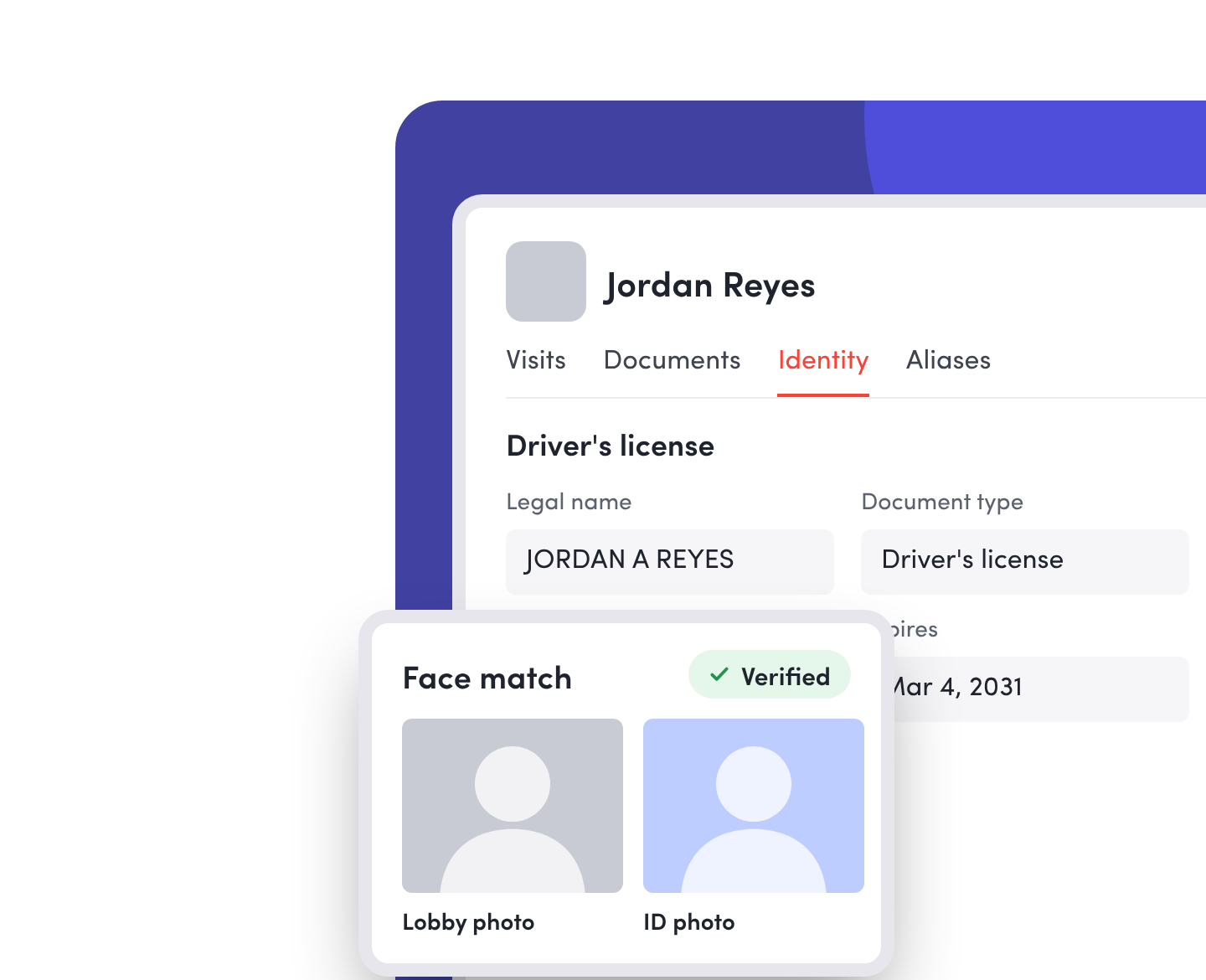
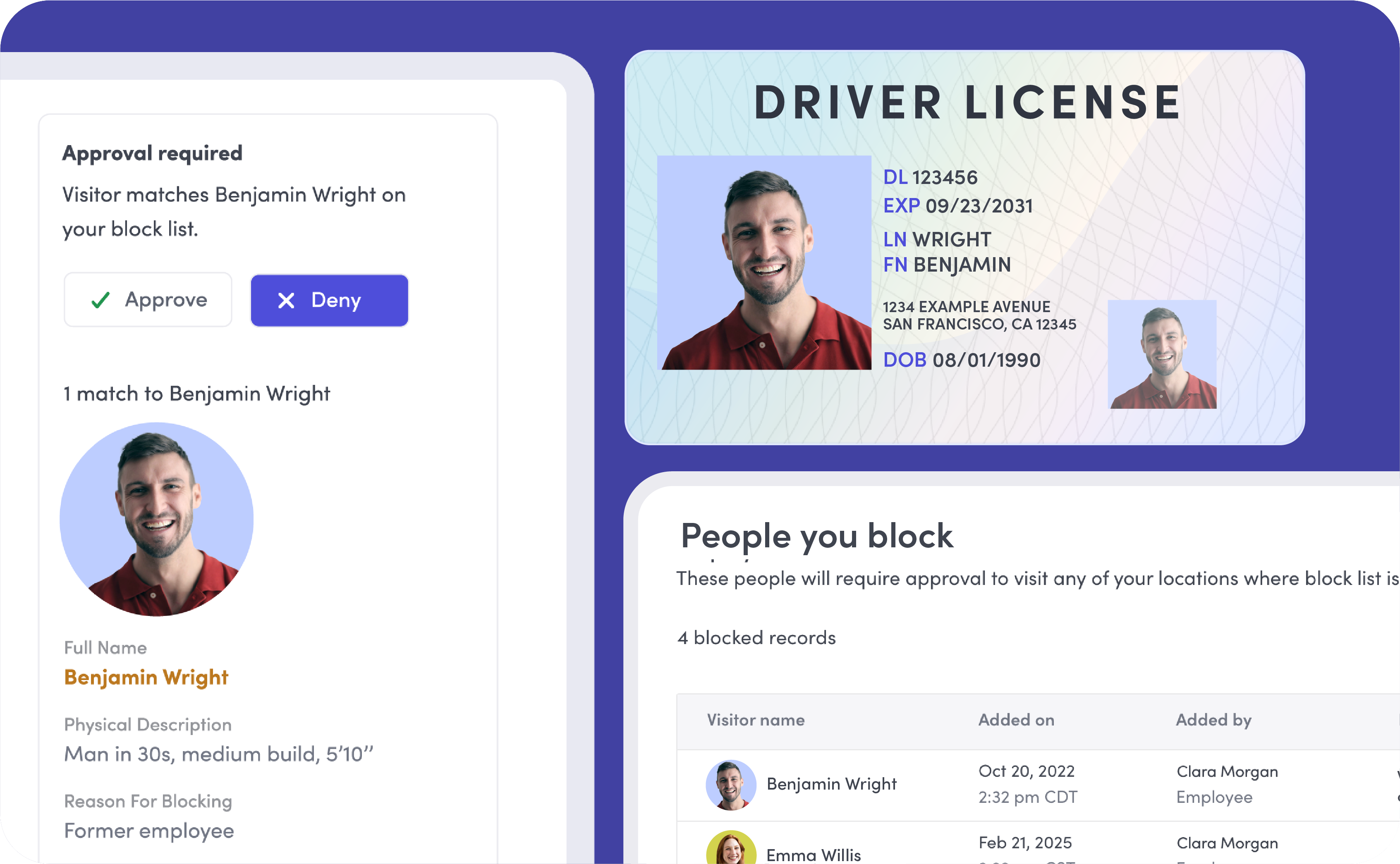
Envoy scans each visitor’s government-issued ID and checks it against their visitor record before they get through the door. It confirms the name on the ID matches the visitor record, matches the photo taken in the lobby to the photo on the ID, and makes sure the visitor’s name and ID number aren’t on your company blocklist.
Require approvals to connect the credential to the visitor record
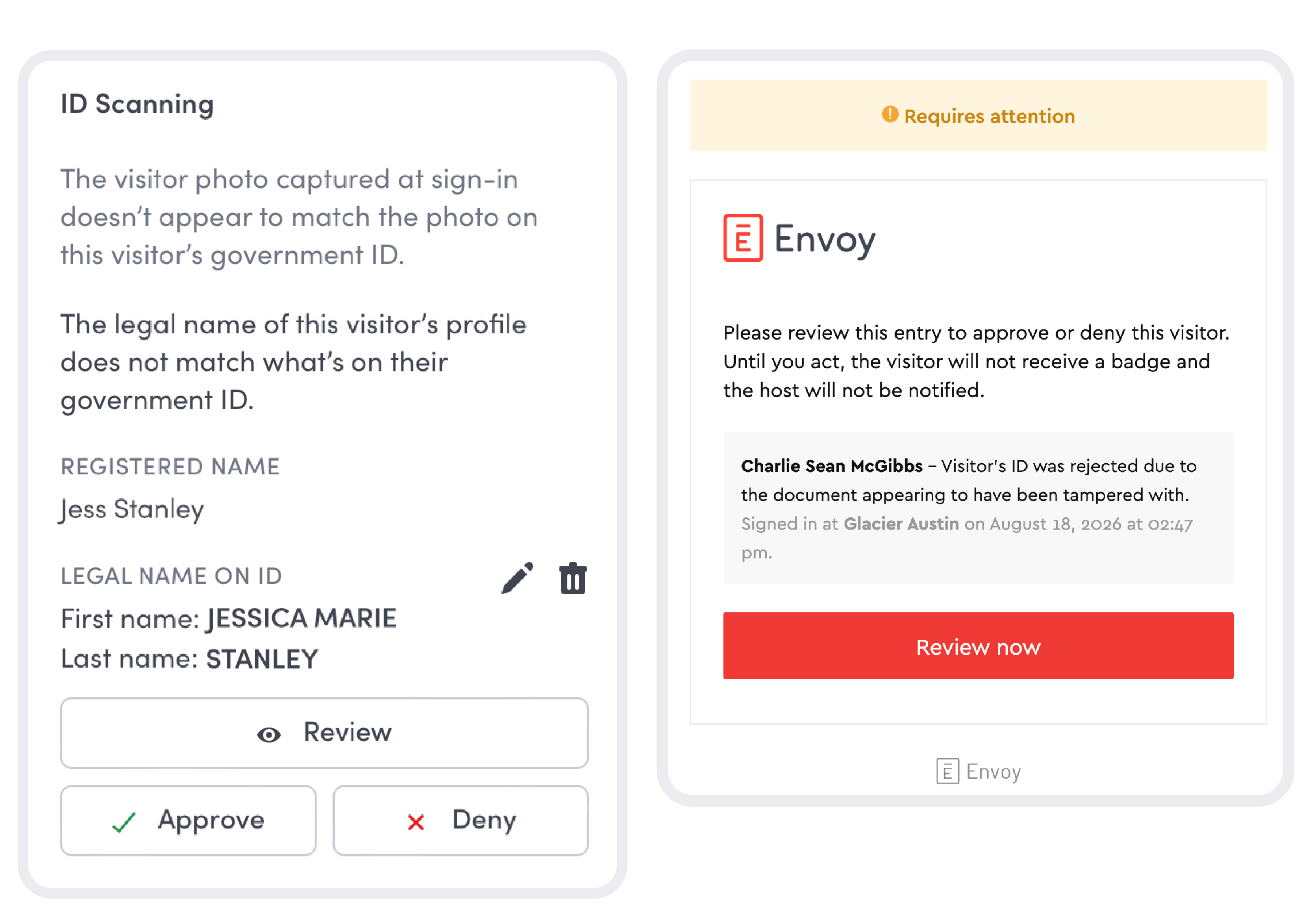
Spot discrepancies between the name a visitor provides and their government-issued ID. With name matching, mismatches require admin approval, giving your team a chance to investigate before granting entry based on another person’s record.
Keep barred visitors from getting back in
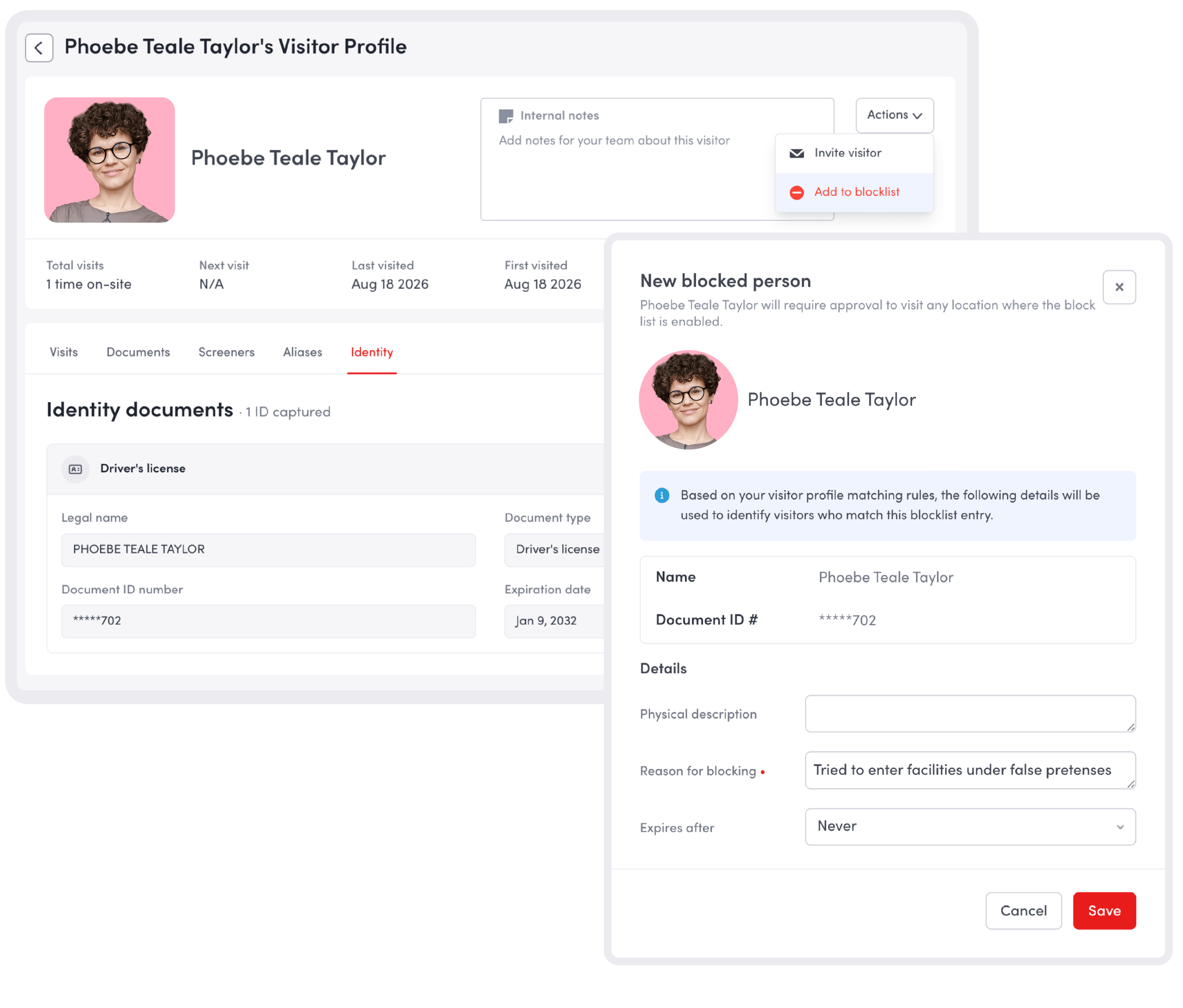
Check visitors against your company’s blocklists using their name and document number. Potential matches bring your own restrictions into the identity review, helping your team identify someone who needs further scrutiny before entering.
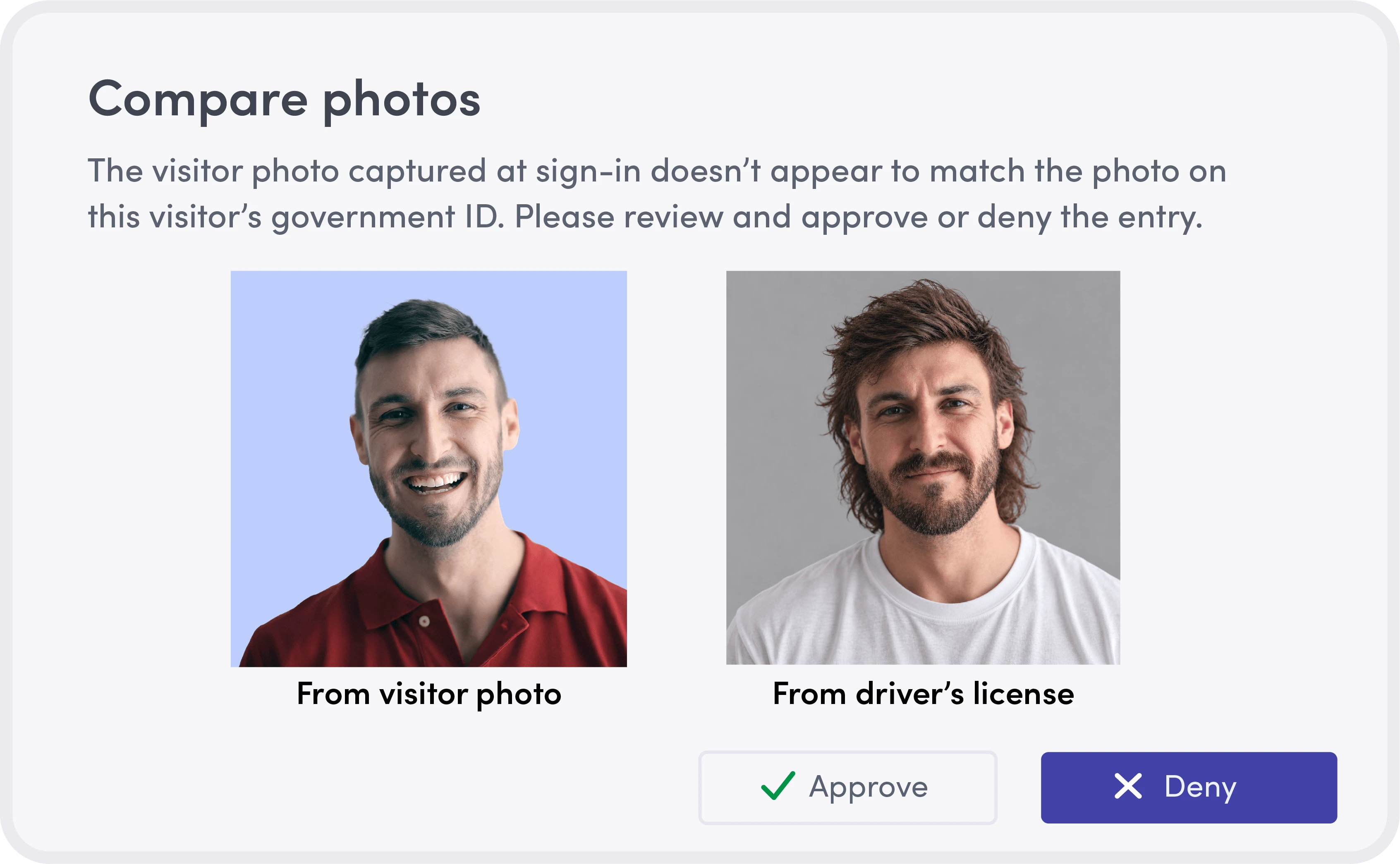
Confirm the ID belongs to the person presenting it
Compare the visitor’s lobby photo with the portrait on their government-issued ID to help detect borrowed or stolen credentials. Liveness detection adds an anti-spoofing check to help identify attempts to use a photo or mask in place of the visitor.
Build identity verification into your entry requirements

Apply checks by visitor type
Enable ID scanning for all visitors or selected visitor types, matching the requirement to your site’s policies.

Resolve failed checks before entry
Designated admins receive alerts when an ID fails verification. They can review the result and approve or deny the visit.

Validate identity details at the source
Coming in spring 2027 with ID High Assurance, Envoy will cross-check ID information against authoritative sources, like DMV records where supported.
Join early access to try it first.

Manage how long ID scans are stored
Include ID scans in your retention policy and set when they should be discarded. Your team controls how long those documents remain on file.
Add screening integrations for a fuller picture of visitor risk
Envoy syncs directly with government databases and accredited watch-list providers, so every check reflects the same data regulators rely on.





Connect verified identity with the decision to grant access
ID scanning and verification work alongside visitor screening, approval workflows, and sensitive data handling in Visitors Critical. Your team can assess identity, review restrictions, route entry decisions, and control access to personal information, all within Envoy.
Defense & aerospaceDefense & aerospace
Keep export-controlled programs out of the wrong hands. Screen foreign nationals against denied-party lists and route them to trade compliance before security approves entry
Semiconductors & advanced electronicsSemiconductors & advanced electronics
Protect fab IP from espionage and insider risk. Confirm identity and check restrictions before anyone enters a cleanroom or controlled technology area
Data centersData centers
Verify vendor IDs under one access policy across every site, with each entry tied to a verified identity and an audit-ready record for SOC 2 and ISO 27001 reviews.
Distribution & logisticsDistribution & logistics
Stop cargo theft at the dock. Check one blocklist across every warehouse to catch barred drivers and former workers who come back under a new name or at another site
Life sciences & pharmaLife sciences & pharma
Verify visitor and contractor IDs before anyone reaches cleanrooms or research spaces, with every entry tied to a verified identity for GMP audits.
HealthcareHealthcare
Keep patients and staff safe. Flag anyone on your blocklist before they reach patient areas, and limit pharmacies and maternity units to approved guests, with logs ready for Joint Commission surveys
Technology & AI research labsTechnology & AI research labs
Verify every guest’s identity before they reach labs, demos, or whiteboards, so only verified, approved visitors get near unreleased research.
Still have questions?
We can help.
A visitor identification system helps your team confirm who someone is before letting them in. Envoy checks their ID, matches their name and photo, and checks for matches on your company’s blocklist.
A visitor photo ID system captures a photo to help people recognize a guest on a badge, in a notification, or in the visitor log. Identity verification checks whether a government-issued ID is genuine and belongs to the person using it.
Government watchlist and denied-party screening use separate, supported screening integrations. With Envoy, you can pair those checks with ID scanning and verification to assess both who a visitor is and whether restrictions may affect their visit.
Envoy connects identity checks with visitor approvals. Failed ID checks can be reviewed by admins, while approval workflows support broader policies that require designated reviewers and sign-offs.