

What’s new at Envoy: April 2026 product releases


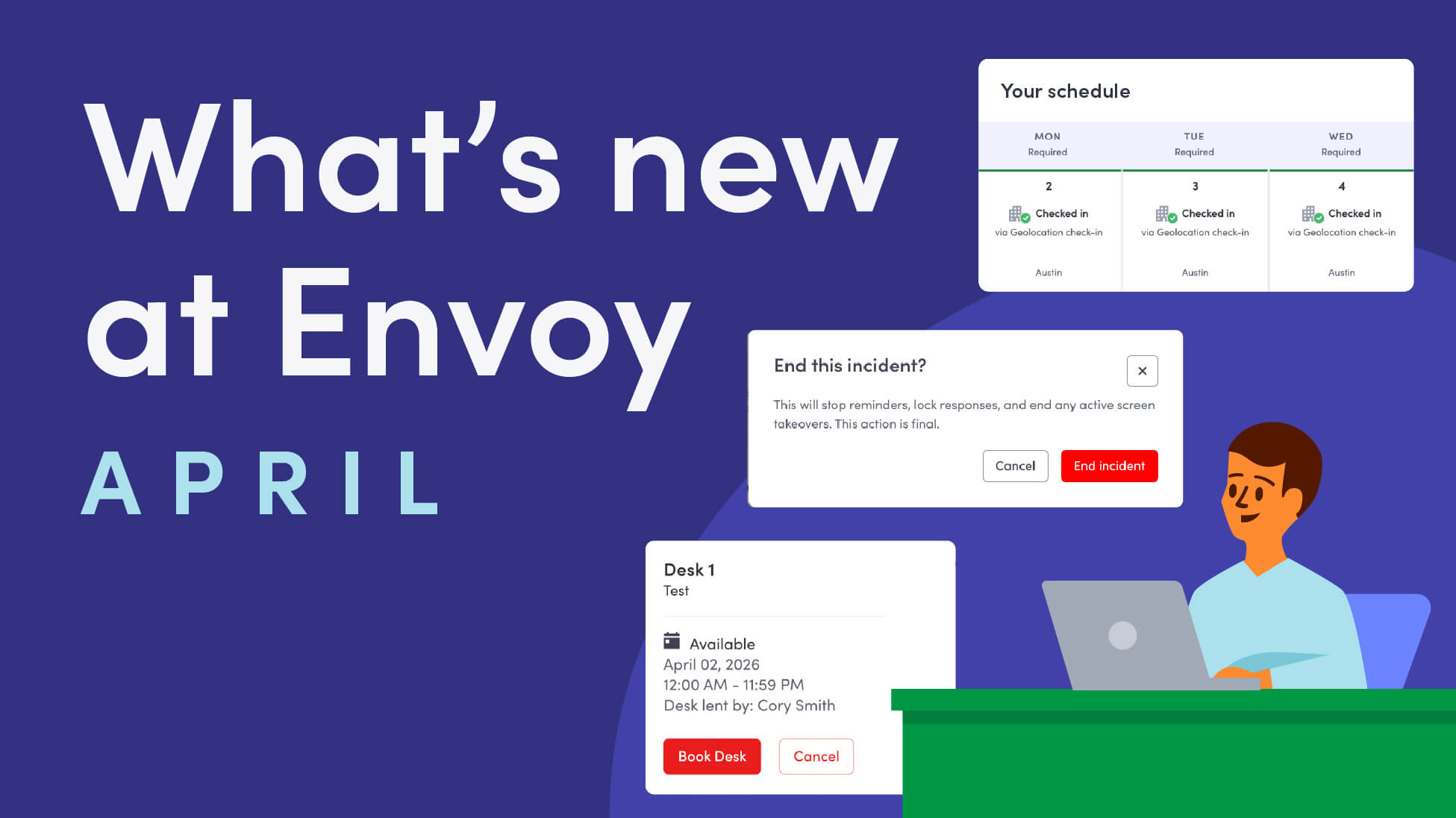
Envoy’s April 2026 product releases reflect how modern workplaces actually operate—dynamic, accountable, and built for the people moving through them every day. From desks that flex to match attendance schedules, to pre-registration document uploads and immutable incident logs, these updates help teams streamline the digital and physical processes that your employees and visitors depend on.
Audit-ready visitor and emergency records, from first touch to final sign-off
Every visit and every emergency event tells a story that regulators, insurers, and leadership may need to verify after the fact. April’s updates close gaps in that audit trail.
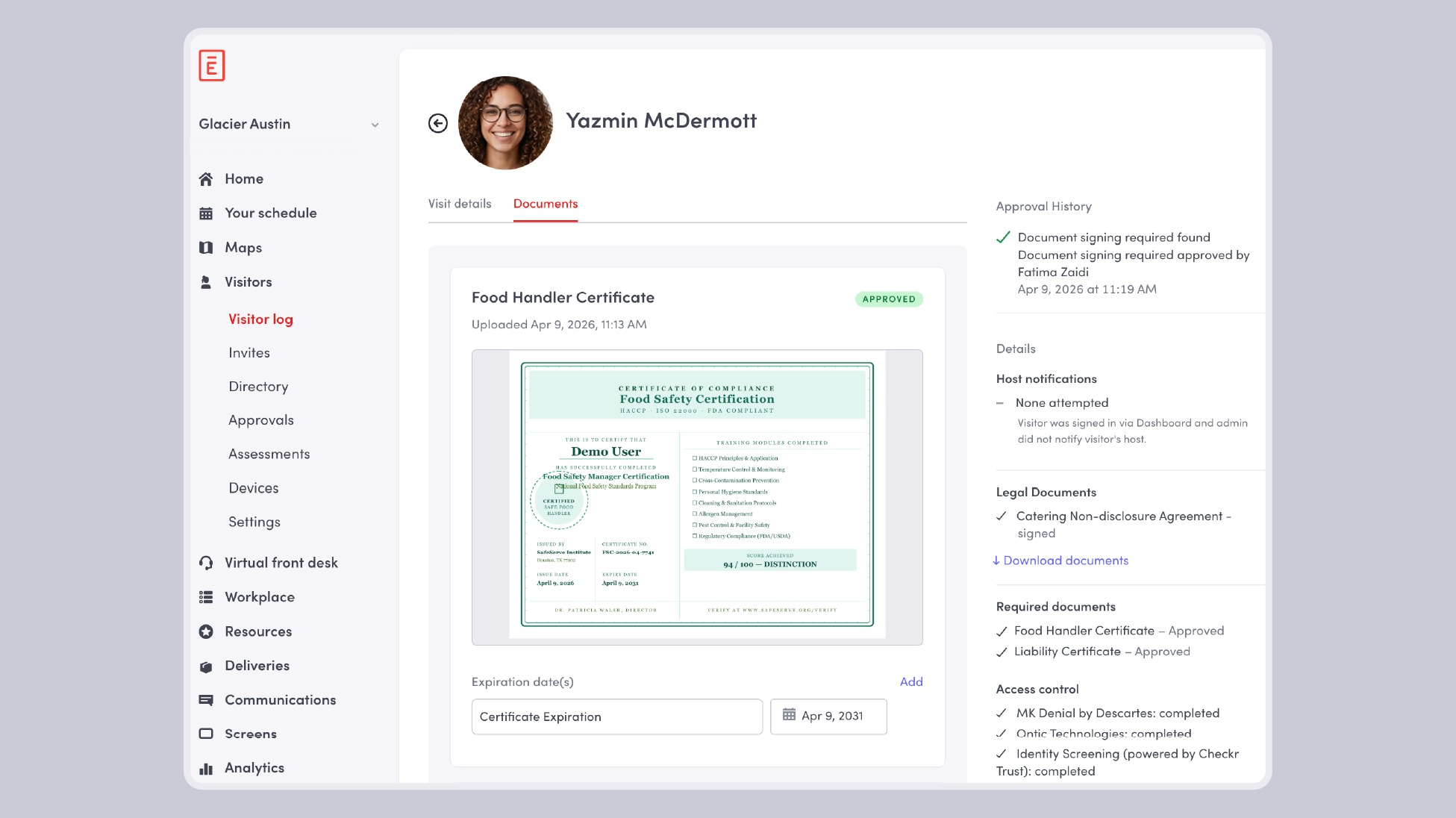
- Pre-registration document uploads for visitors: Admins can now request specific documents during the pre-registration process, letting visitors securely upload them for review before they arrive on-site. NDAs, safety acknowledgments, credential copies, and site-specific paperwork can be collected and reviewed ahead of time—so access requirements are enforced before anyone walks in the door.
Learn more about pre-registration document uploads →
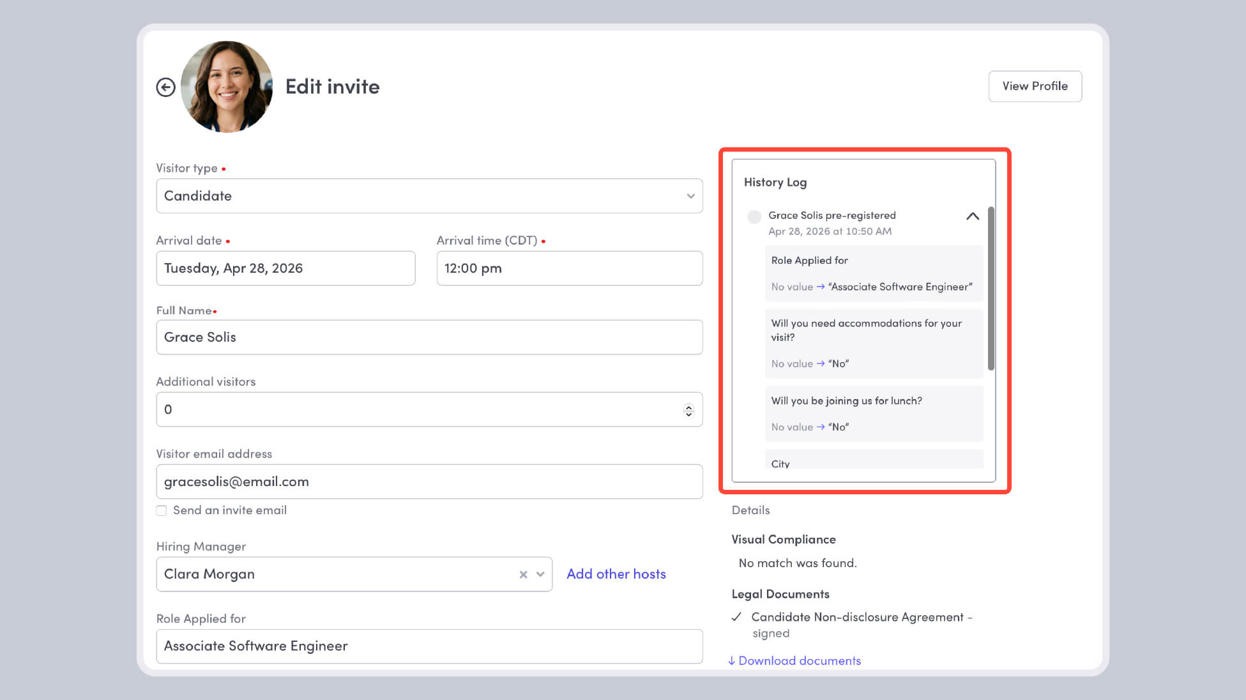
- Visitor entry history log: The visitor entry history log gives admins a single, immutable record of everything that happened during a visit, who changed what, when they changed it, and the approval decisions made along the way. Now you can investigate a visit, build evidence for an audit, or confirm that an approval policy was followed end-to-end.
Learn more about tracking changes with the history log →
- Add notes on visitor profiles in visitor directory: The visitor directory gives you a single, searchable view and complete record of all past, present, and invited visitors. Now, you can add notes to visitor profiles that can give your team context about an individual over one or many visits.
Learn more about adding notes to visitor profiles →
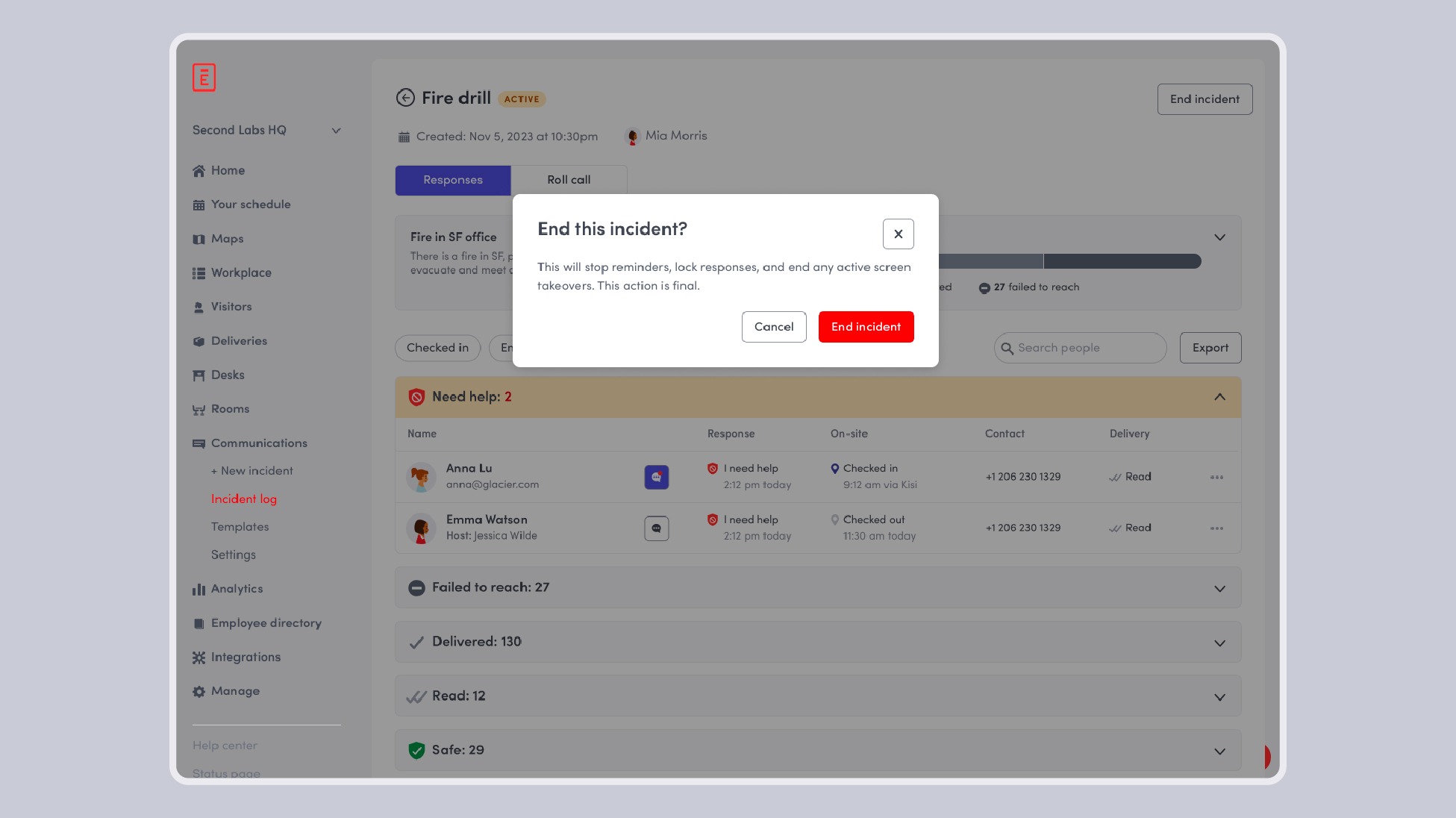
- End emergency notification incident: Global and location admins can now formally end an active emergency incident once the situation is resolved— stopping all active reminders, ending Envoy Screens takeovers, and locking all responses and 2-way chats so they can’t be edited or deleted. The result is a locked, immutable, audit-ready log of exactly what message was sent, to whom, when it went out, and how people responded.
Learn how to end an emergency notification incident →
Manage moves that maximize your office footprint
Assigned seats sit empty when employees are remote. Teams grow, shift, and reorganize. Attendance patterns change from week to week. These move management features keep up with occupancy so that workplace maps can be a source of truth.
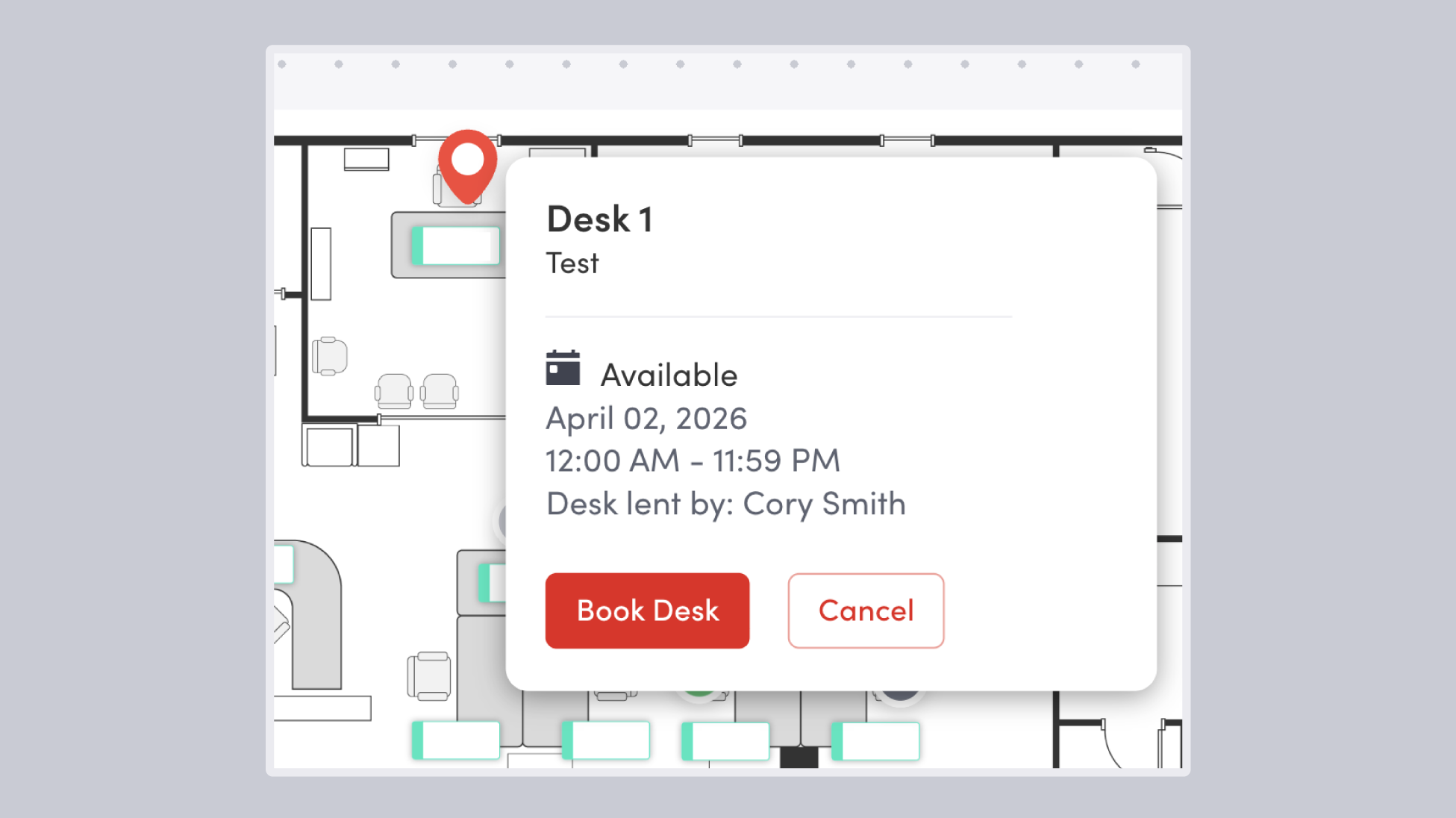
- Desk lending (reverse hoteling): Employees can now share their assigned desk with teammates on days they’re not in the office. Instead of sitting empty, assigned desks become bookable only on the days they’re unused—so teams get more utilization out of the space they already have, support flexible schedules, and reduce the pressure to add seating. Existing desk assignments and workplace maps stay intact without having to do any redesigns.
Learn more about desk lending →
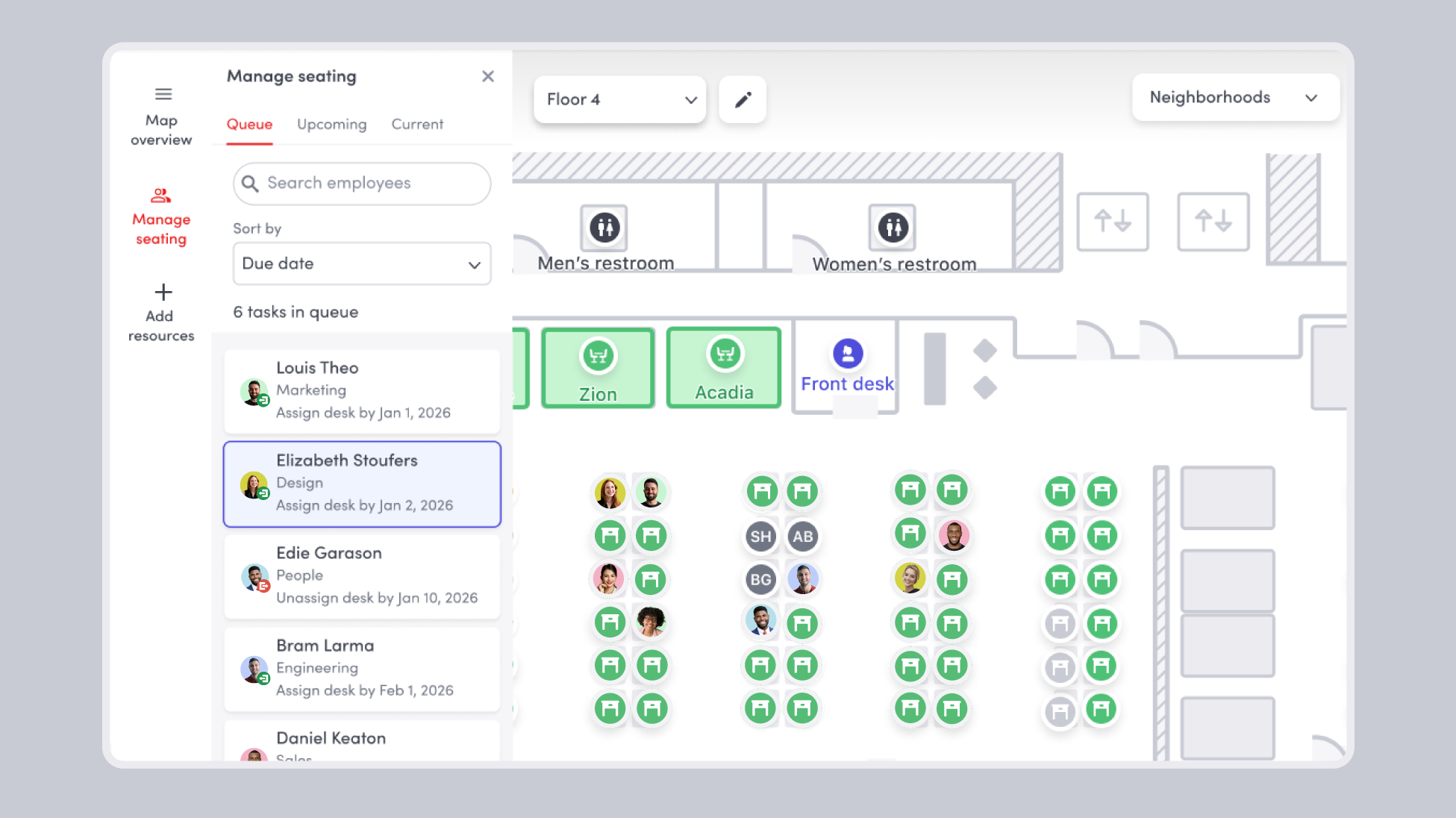
- Desk move queue panel: The new desk move queue gives admins a single place to plan and manage seating changes, directly from the workplace map. Add move tasks to the queue manually, or let them populate automatically with a HRIS integration to sync employee data into Envoy. No more tracking reassignments inside spreadsheets.
Learn more about the desk move queue →
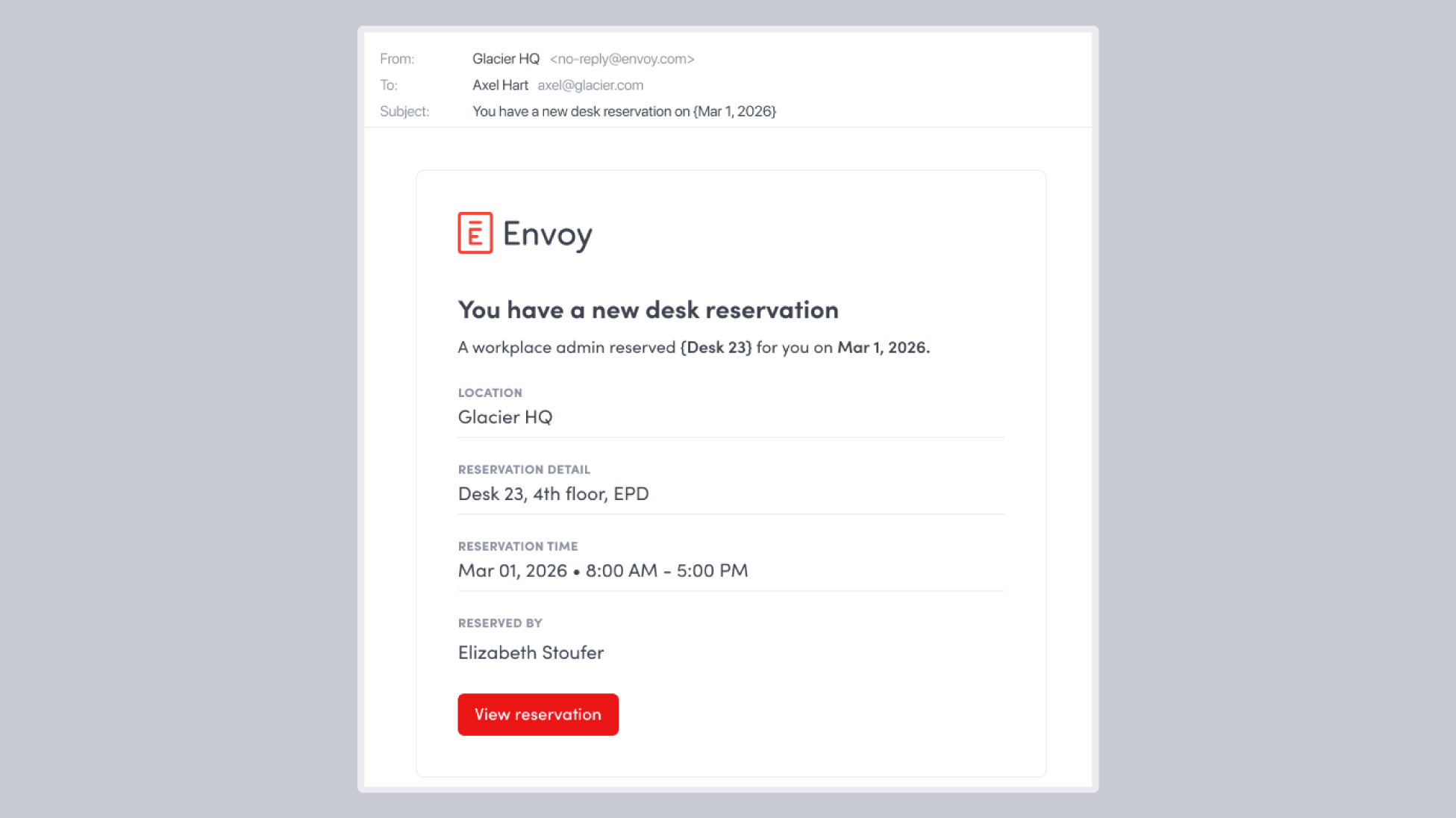
- Desk reservation email notifications: When a desk reservation is created, changed, or canceled, Envoy can automatically send an email to the employee who made the reservation. This keeps everyone informed, whether an admin booked something on their behalf or the employee made the change themselves.
Learn more about desk reservation emails →
Derive data-driven patterns from presence signals
Workplace policies only work when the data behind them is accurate. These presence updates result in cleaner Wi-Fi signals and simple self-serve visibility into attendance history for employees.
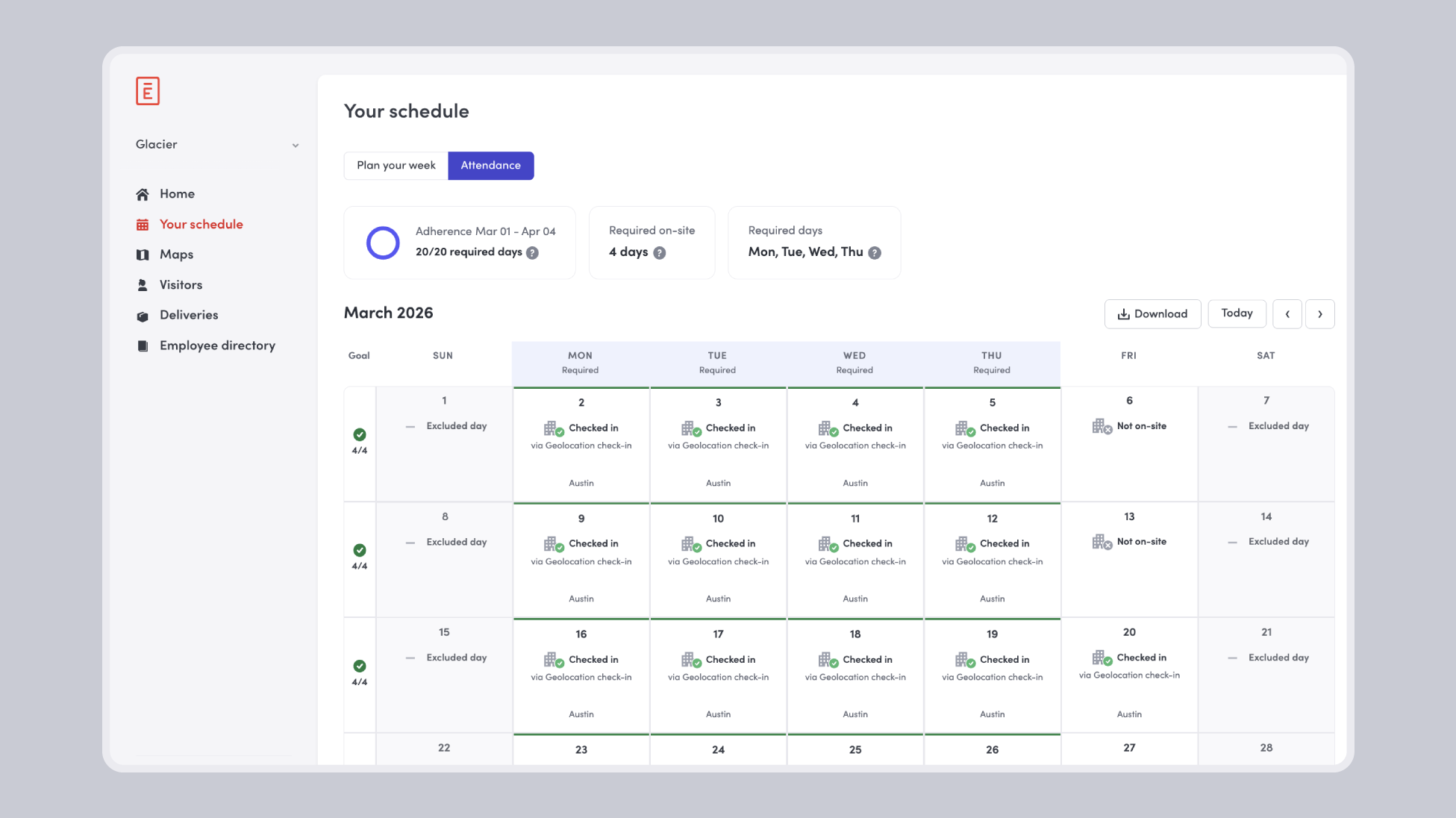
- View self-attendance on web: The new “Your schedule” page in the Envoy web dashboard gives every employee a personal view of their attendance history, on-site goals, and adherence progress. Employees can review their own check-in record, see how they’re tracking against hybrid policies, and download their attendance data as a CSV.
Learn more about visible attendance data →
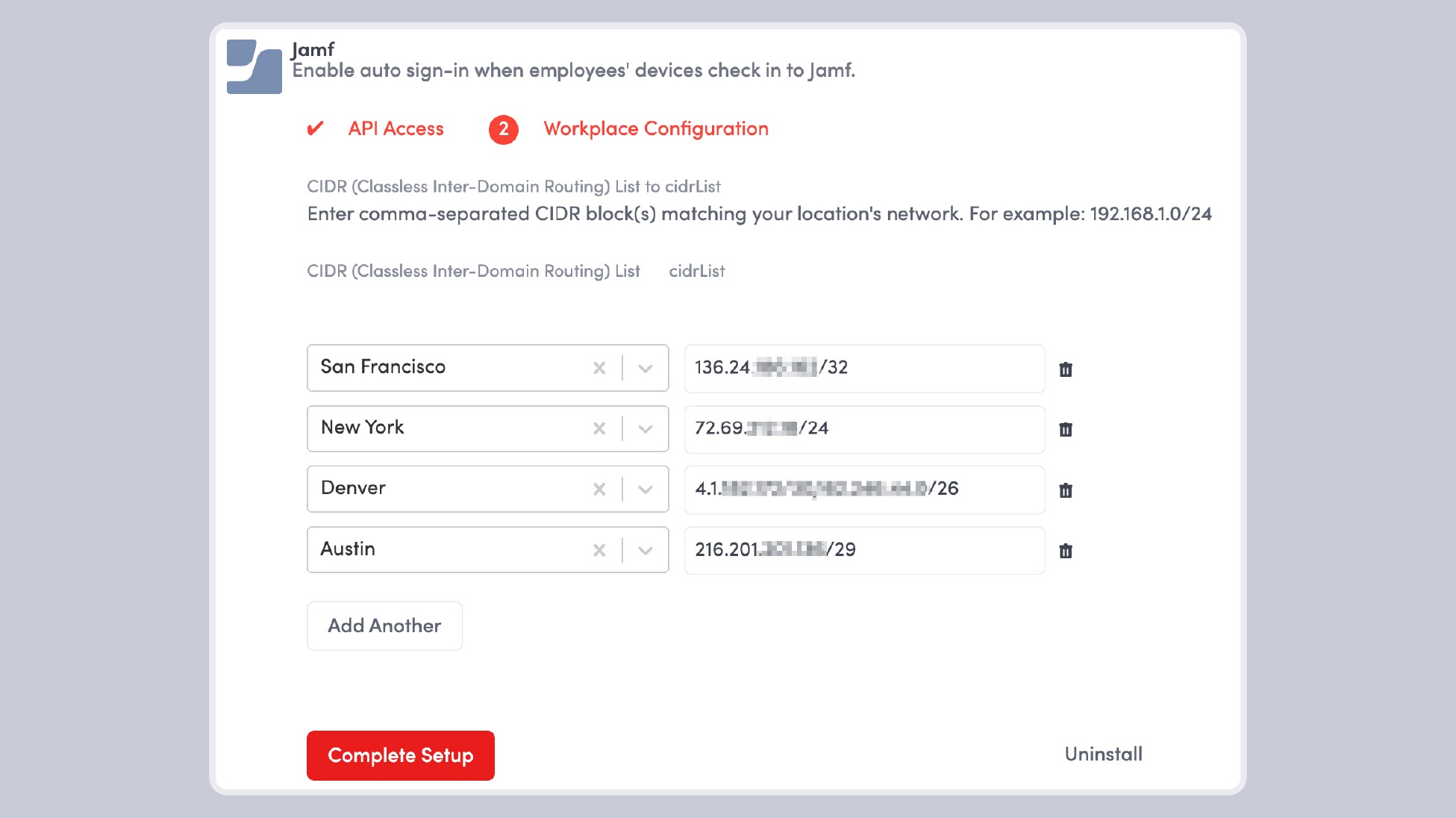
- Improve Wi-Fi presence accuracy with Jamf integration: Jamf integration now automatically syncs employee device MAC addresses, eliminating the need for manual CSV uploads and keeping Wi-Fi presence data up to date. This improves the accuracy and reliability of employee detection while reducing ongoing maintenance for teams using Wi-Fi integrations like Cisco Meraki.
Learn more about presence signals with Jamf →
Automations and integrations for frictionless visits
These new automations and integrations keep visitors moving through your workflows with minimal interruption. From auto sign-out reminders to access control and building operations integrations, each update streamlines visitor management and reduces manual lift.
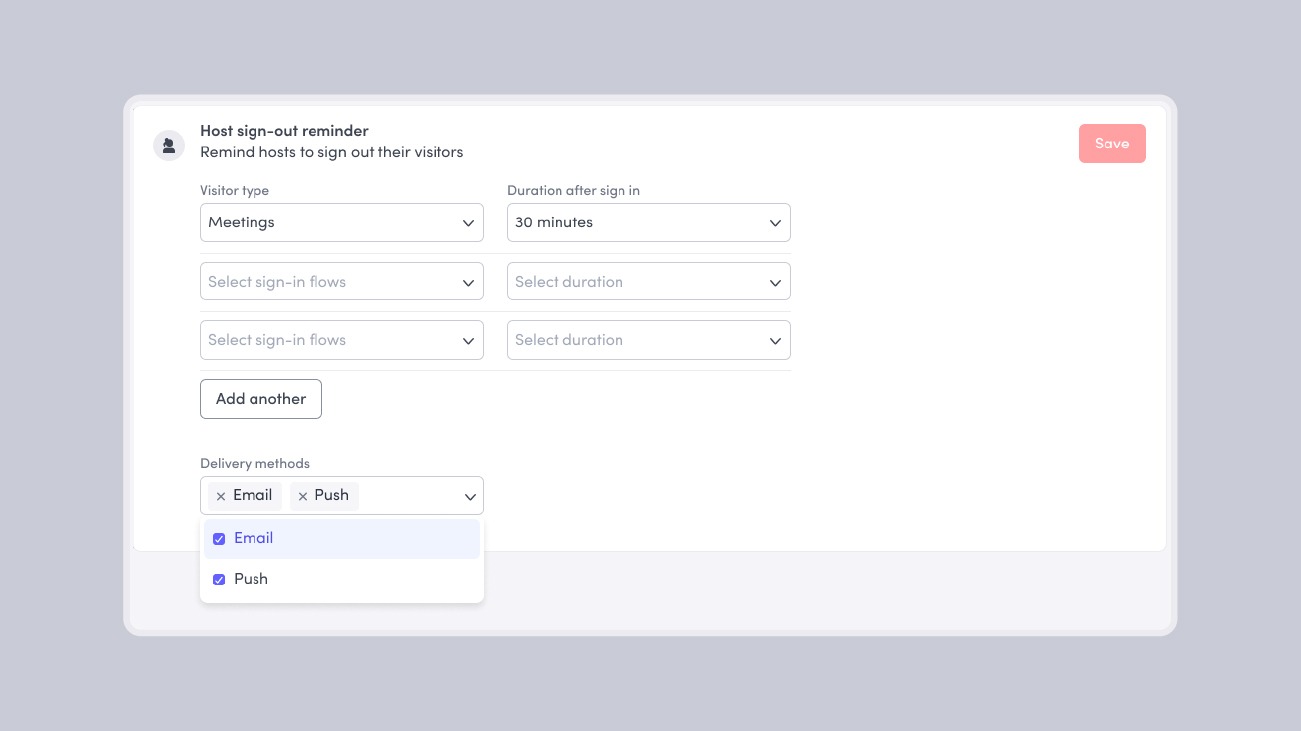
- Host reminders to automatically sign-out visitors: Reminder notifications can now be set up to automatically notify hosts to sign-out their visitors. When set up, hosts will receive a notification by email or push notification with the visitor's name, sign-in time, and location, along with a direct sign-out visitor button to close out the visit immediately.
Learn more about host sign out notifications →
- Rhombus systems access control integration: The Rhombus + Envoy Visitors integration automatically provisions secure, mobile credentials for visitors. When a guest is invited or signs in through Envoy, their access is synced with Rhombus to grant temporary entry with automatic expiration and full audit logging.
Learn more about provisioning your visitors with Rhombus credentials →
- Prism by Building Engines integration: The Prism by Building Engines + Envoy Visitors integration automatically syncs visitor access between Envoy and the Prism building operations platform. When visitors are invited, updated, or removed in Envoy, their access is reflected in Prism—helping building operations teams maintain an accurate, real-time view of who is expected on-site.
Learn more about syncing visitor access with Prism →
- Setting up a fallback printer for visitor badges: Fallback printers can now be set up to print visitor badges. Under normal conditions, visitor badges print to the primary printer. But if the primary printer is unavailable, Envoy automatically prints to the fallback printer—so visitors keep moving through sign-in while you troubleshoot the primary printer.
Learn more about using fallback printers for visitor badges →
—
Purpose built for the people moving through your workplace
The April 2026 product releases strengthen Envoy as a single source of truth for what's happening across your space, and enhance automations to keep it running smoothly. The result is less time spent reconciling systems and more time delivering the workplace experience your employees and visitors expect.
Book a demo.
Read more
Envoy’s September 2026 releases help teams manage visitors with less manual work, streamline compliance reporting, and keep access systems in sync.
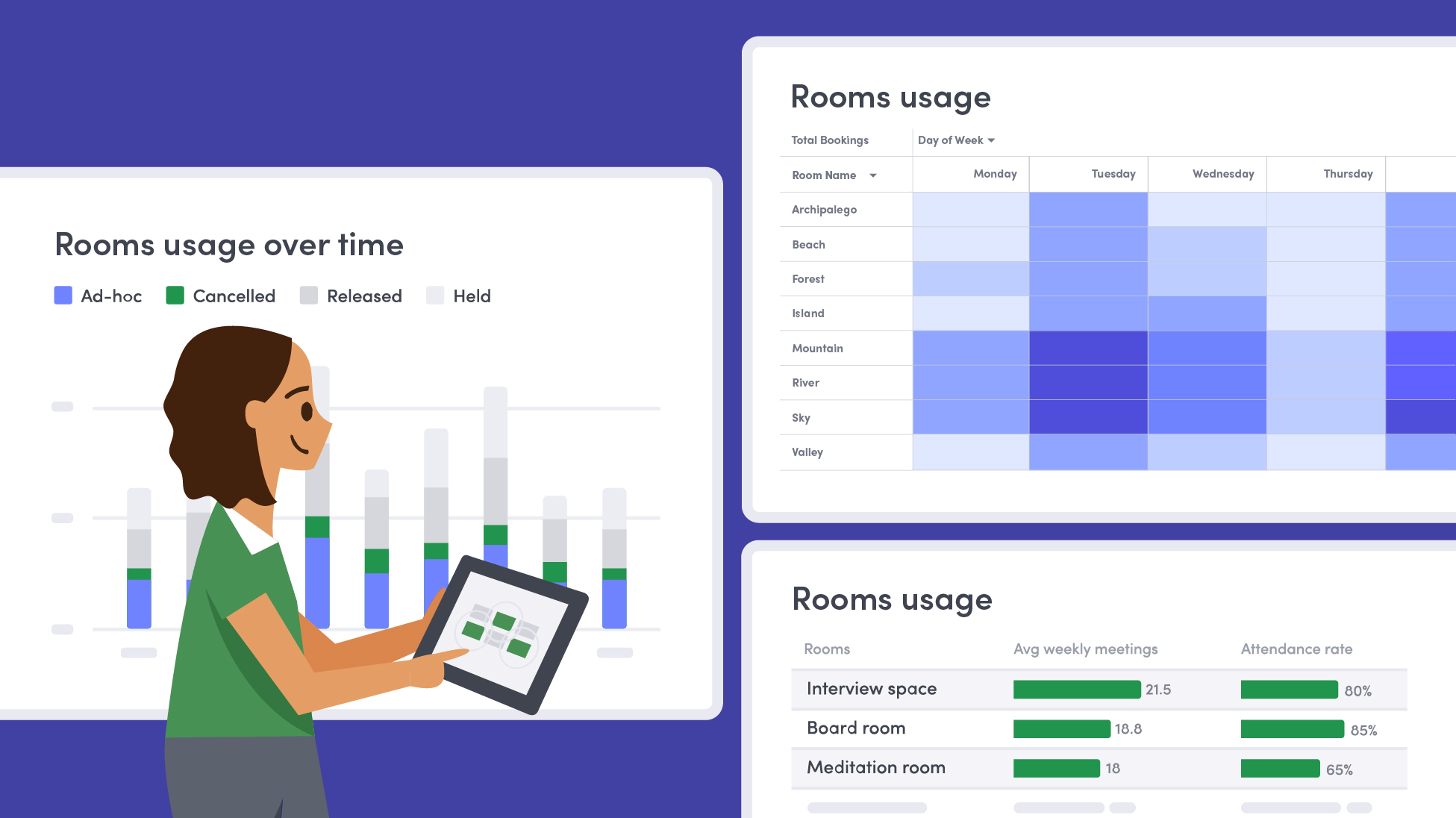
Learn how to measure conference room utilization, occupancy, no-shows, booking density, and more, and use the data to make smarter space decisions.
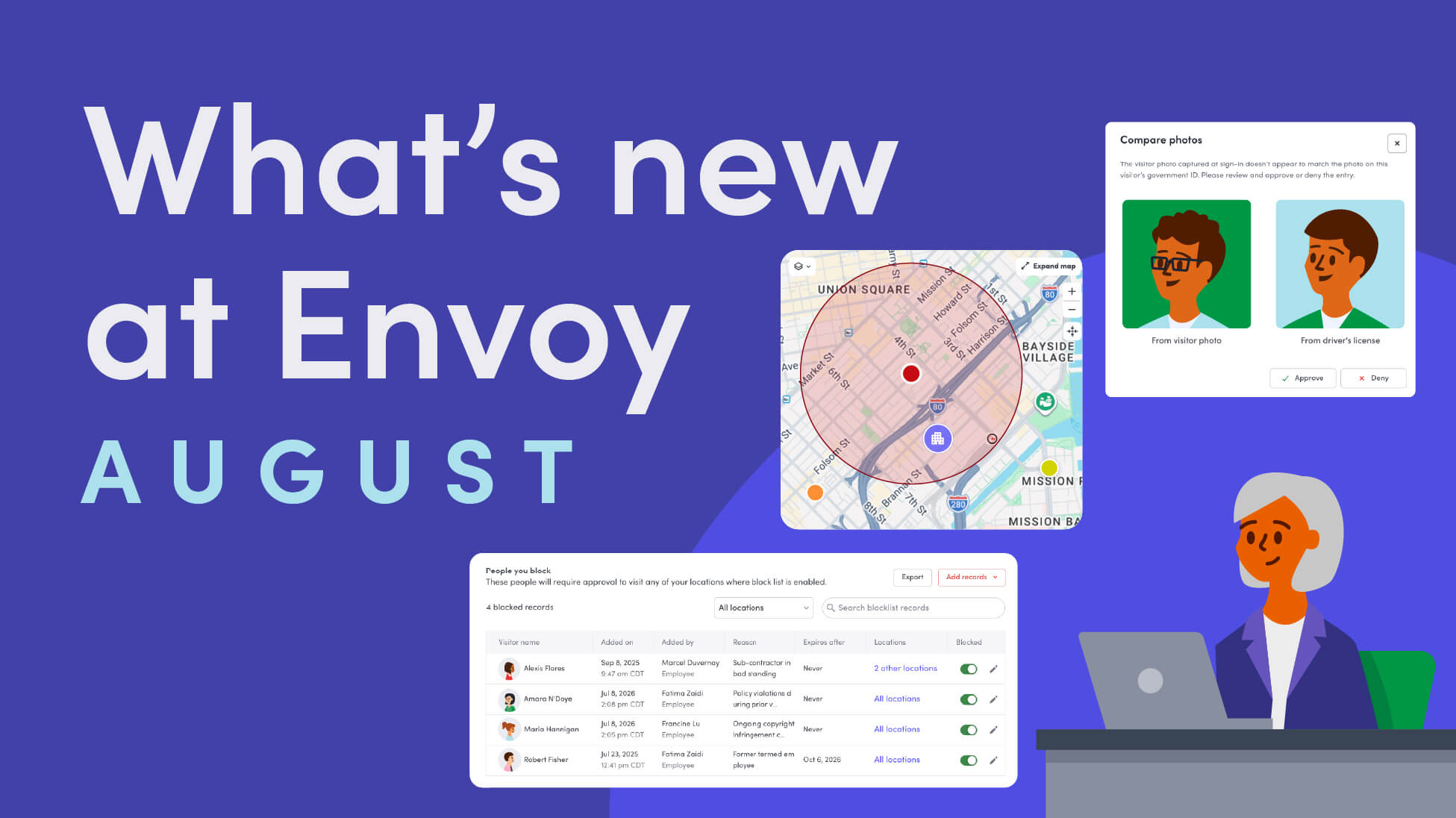
Envoy’s August 2026 releases introduce Envoy Response for emergency management, bringing emergency response into the same platform you already use for visitor and workplace management.

Envoy's July 2026 releases focus on workplace intelligence features like HRIS directory sync, workplace map file exports, and mailroom management improvements through the Developer API.

Envoy data across 300+ U.S. metros reveals the one morning the World Cup actually emptied the office, and it wasn't when you'd think.

Envoy Academy is back with a full refresh. Still free, still on-demand, and organized by role so admins get fluent in Envoy fast.