

How to automate desk moves and optimize office space with Envoy


If your office attendance has settled into a predictable hybrid rhythm, you’ve probably noticed something: the workplace is full of partial truths. For instance, the seating map shows desks as “assigned” that haven’t been used in weeks. And somewhere in a spreadsheet, a workplace manager is tracking a new hire’s start date—hoping the seating map gets updated before their first day.
How can you automate desk moves and optimize office space with Envoy? The following features reduce the complexity of common space management issues in hybrid environments—each one designed to reduce manual work, make the most of your existing footprint, and keep the office experience consistent for employees.
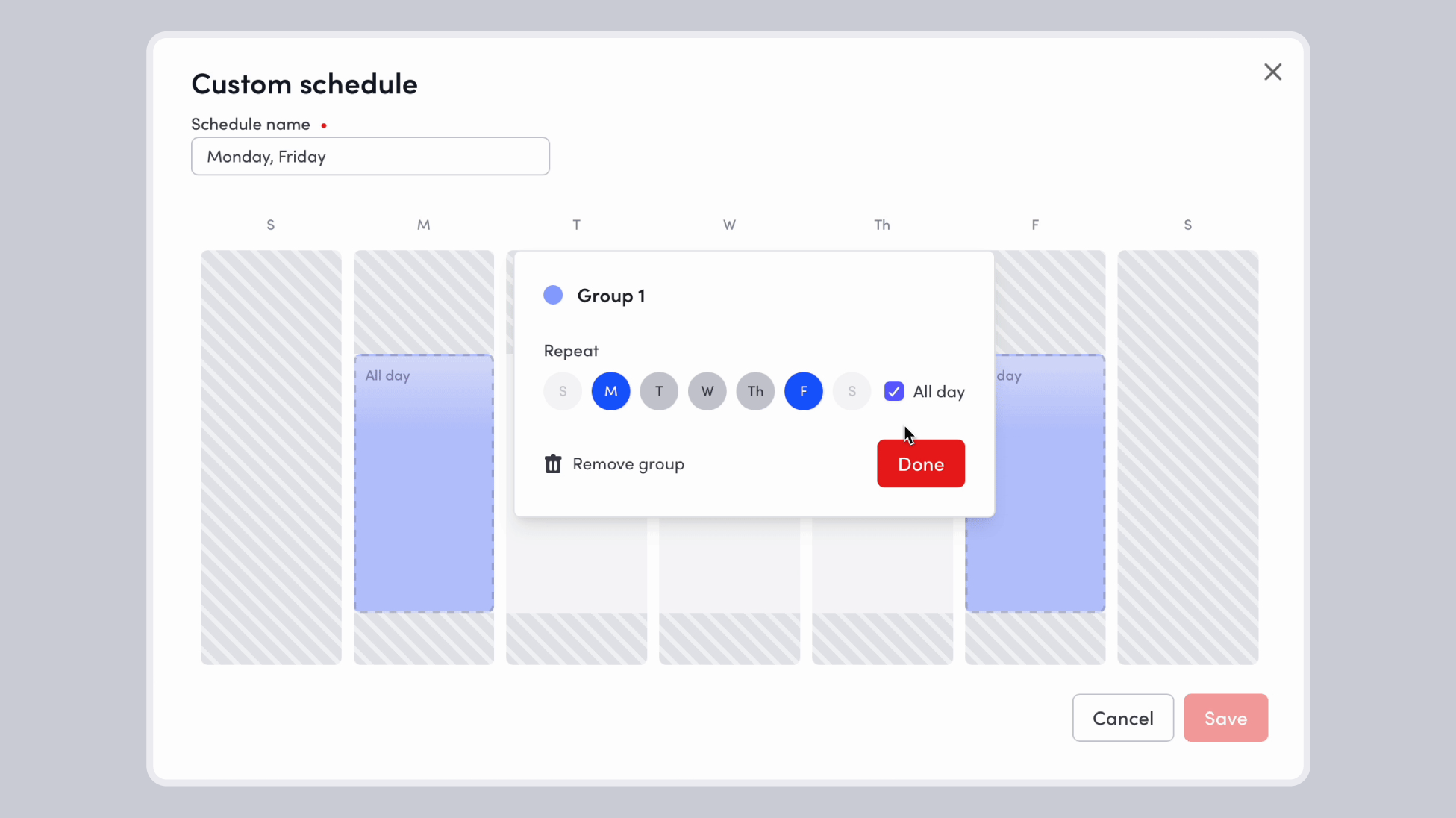
Automate desk schedules with Shared Desks
Create flexible desk schedules based on real-time occupancy, shift-based seating, or neighborhood rotations—with reusable schedules by day and time
For organizations managing shift-based work, alternating team schedules, or neighborhood rotations, the operational lift of maintaining current desk assignments can be significant. Without automation, admins end up making the same changes repeatedly—or watching the seating map drift further from reality every week.
Shared desks in Envoy solve for this by treating desk schedules as reusable templates. An admin can build a schedule once and assign it to relevant desks or neighborhoods. The booking experience employees see always reflects the current schedule.
Admins can also assign employees or entire neighborhoods to specific days within a schedule— useful for managing density by team or compliance with space policies.
Impact: Accurate automated schedules prevent the over-provisioning of desks. When you can see which desks are actively used versus idle by design, you have the data to make informed decisions about your real estate footprint.
Maximize space with Desk Lending
Allow assigned desks to become bookable when unused, increasing utilization without changing existing seating assignments
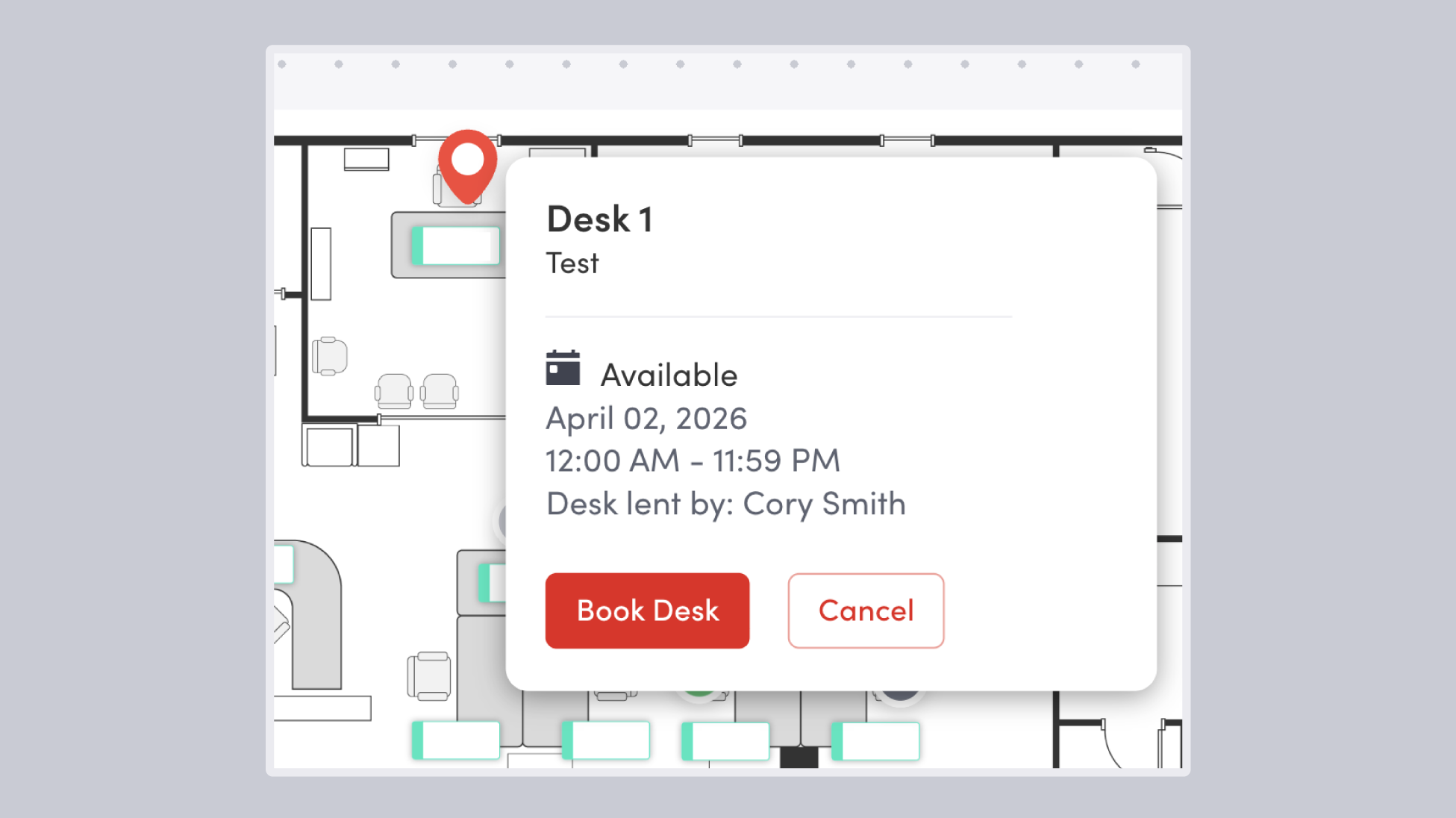
Desk lending gives you more utilization from the footprint you already have by addressing one of the most persistent sources of wasted space in a hybrid office: dedicated desks that sit empty because their assigned user is out of office for the day.
With Envoy’s desk lending there’s no policy trade-off, no map reconfiguration, no change management required. This is a meaningful distinction from space management tools that require choosing either assigned seating or flexible seating.
Impact: Vacant seats represent real estate cost with no return—a meaningful line item for any company paying per square foot. Fewer idle desks means a more accurate picture of how much space you actually need.
Improve communications with Desk Reservation Notifications
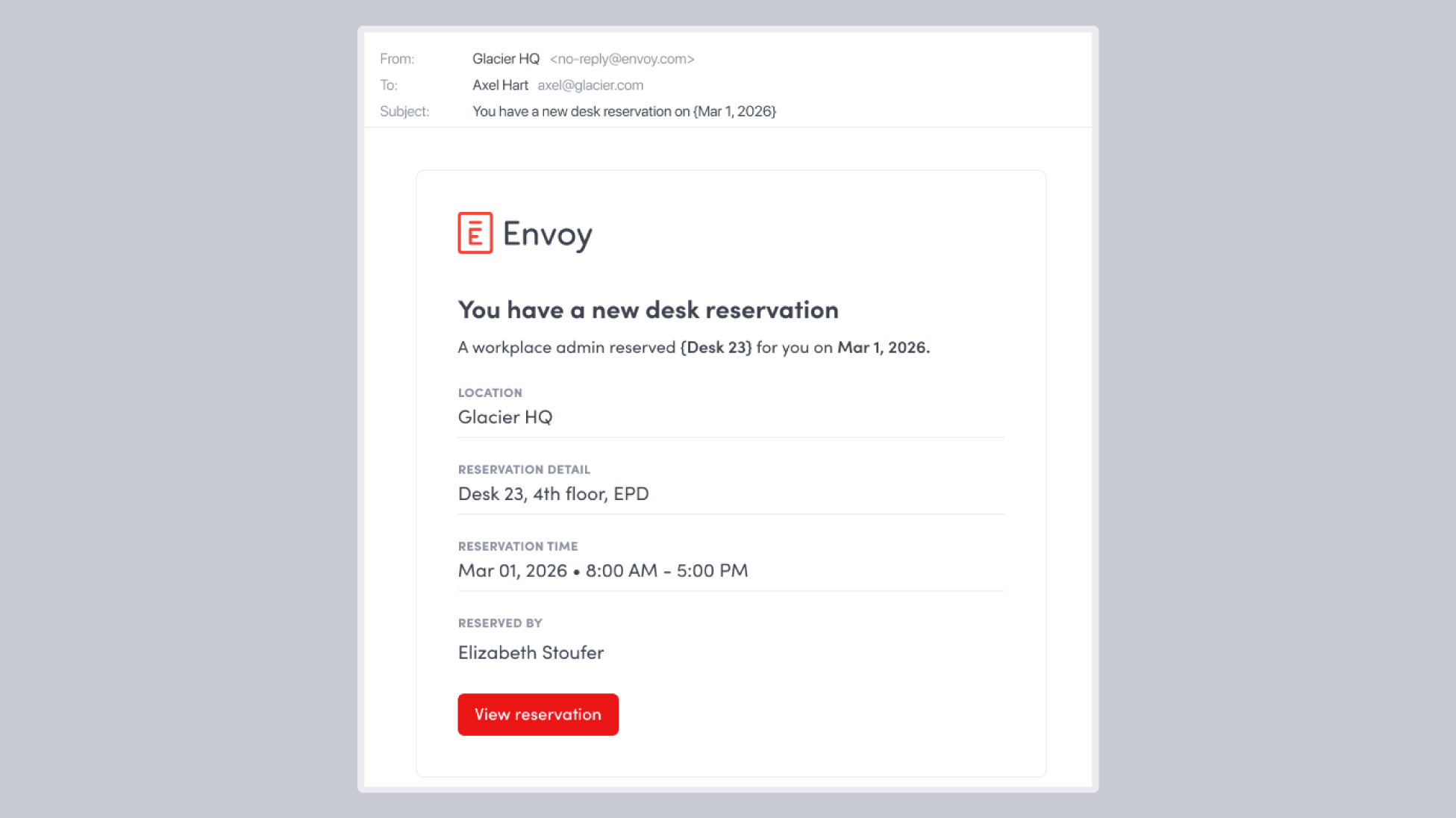
Automatically notify employees when reservations are created, updated, or canceled—keeping everyone aligned
Without automated notifications, small breakdowns in the booking system become big friction points: employees show up to find their desk reassigned, or workplace teams field a steady stream of “Where am I sitting?” questions.
Desk reservation email notifications in Envoy eliminate that friction. Every state change—creation, modification, cancellation—triggers an automatic notification to the employee, regardless of who initiated the change. This is especially important when admins are managing seating changes at scale: employees stay informed without anyone manually sending update emails.
Impact: A booking system employees actually trust, laying the foundation of any successful RTO or hybrid attendance policy.
Streamline moves with Desk Move Queue Panel
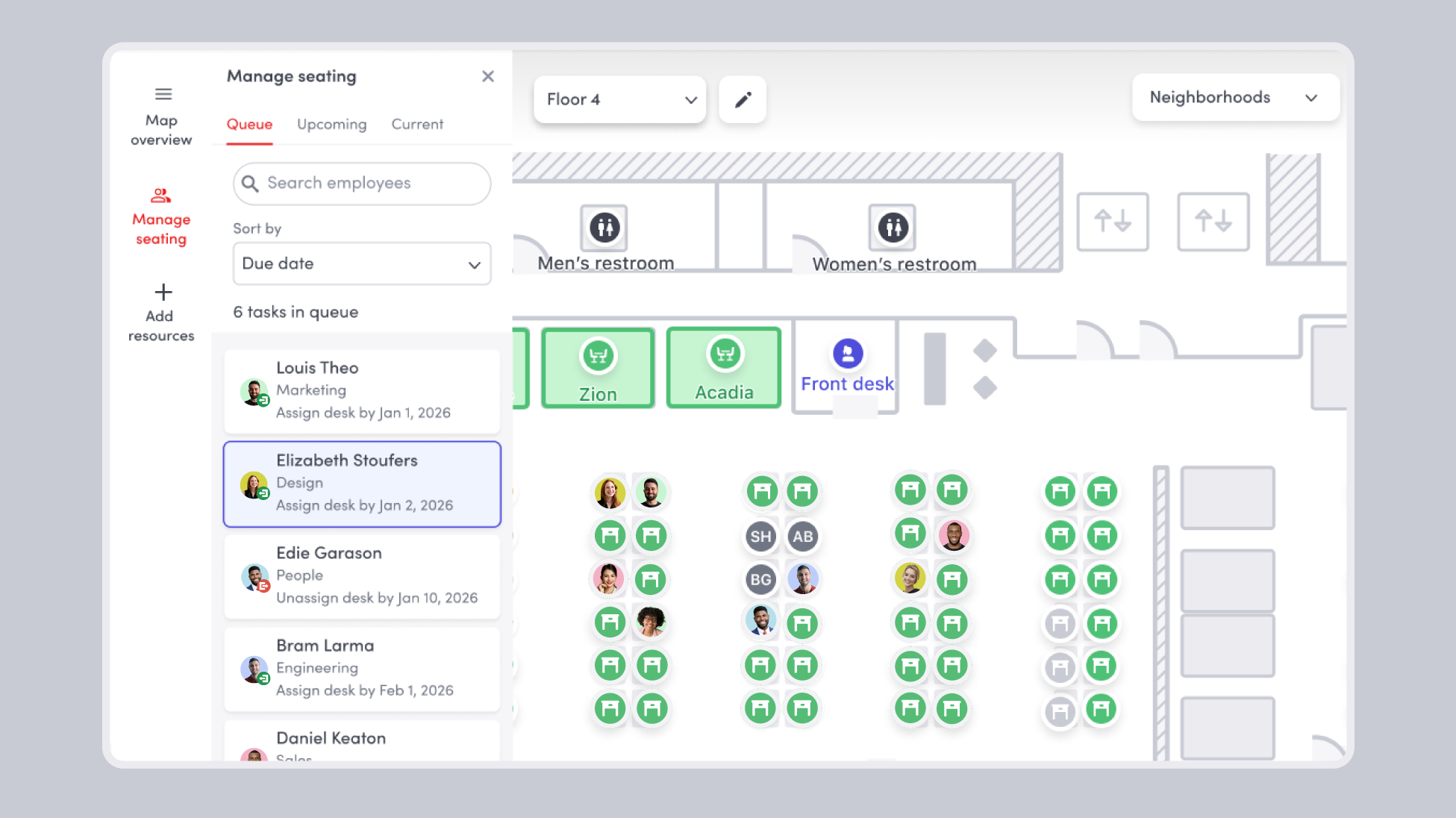
Plan and manage seating changes in one place directly from the workplace map, with optional HRIS integrations to automate updates
Without a system to manage moves, your workplace map is perpetually outdated. For example, it may not reflect teams shifting neighborhoods, new hires starting every few weeks, or employees visiting from other offices who are borrowing a desk.
Use the move queue panel in Envoy to bring every pending seating task into one view, directly on the map. Admins see tasks organized by due date or creation date, with context on each: employee name, department, move type, and due date, plus optional custom notes. Tasks can be added manually or surfaced automatically by Envoy when HRIS events are detected.
Impact: When the move queue is connected to your HRIS, the workplace team no longer needs to monitor staffing changes to know what needs updating. Changes to your workplace map get automated, no spreadsheets required.
Keep your workplace map accurate with real-time HRIS sync
When someone starts, transfers, or leaves, the HRIS event triggers the relevant desk action in Envoy—assigning, re-assigning, or un-assigning desks without manual intervention
Envoy integrates with many HRIS software solutions and can sync employee data to the workplace map in real time. This is fundamentally different from how most workplace tools handle HR data—as a reporting feed rather than a workflow trigger. Envoy uses HRIS data to surface the right task at the right time, so the workplace team is always working from a current picture of the org.
With occupancy reports that reflect reality, you can make confident decisions about how much space you actually need—and justify those decisions with data.
Impact: When the map is accurate, occupancy reports reflect reality and decisions can be driven by data. Moves can be managed with minimal manual intervention.
Give employees visibility with Attendance Views
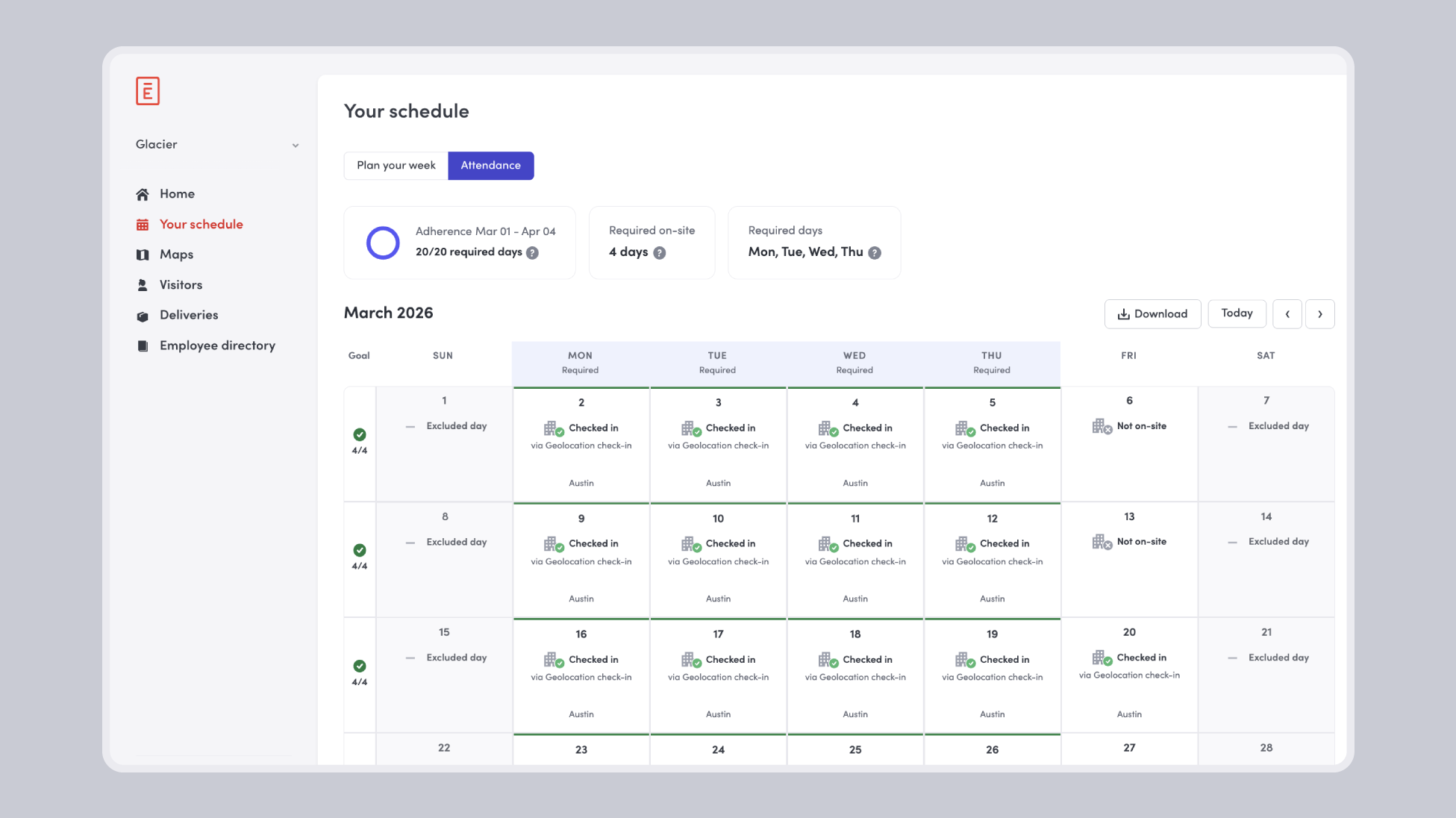
Enable employees to track their own attendance, on-site goals, and adherence progress directly from the web dashboard
For companies managing RTO policies, employee-facing attendance visibility is often a gap. Employees have some sense of how often they’re coming in but without a formal view of their own record, accountability is unclear.
Envoy’s “Your schedule” page closes this gap. Employees see their historical check-in record, their on-site goal, and their adherence progress in one view.
Impact: Managers may not know who is meeting on-site requirements until it becomes a conversation. Employees who want to self-monitor have an easy way to do it.
Manage moves at your office with minimal manual lift
Using Envoy for space management gives you more than a booking tool. It’s an operational system that keeps your map accurate, extracts more value from your existing space, and gives every stakeholder the visibility they need:
- Employees book desks confidently and get automatic updates when anything changes
- Workplace admins action seating changes from a single queue instead of juggling tools
- Real estate and finance leaders see attendance and utilization data they can trust
If your team is still managing space in spreadsheets, these features are where automation starts.
Learn how Alberta Energy Regulator optimized space and saved costs using Envoy →
Read more

Looking to increase workplace efficiency and reap its many benefits? Check out these five simple strategies.

Managing your space well doesn’t have to be difficult. But if you want to be successful, you need the right approach.

Say goodbye to double bookings and last-minute chaos. Here’s how a meeting room reservation system streamlines the workday.

Learn how to create a great workplace experience that makes your employees happy and drives better business outcomes.

Kickstart your journey to a more efficient and productive office with our intro to workplace analytics.

Learn how smart space solutions turn underused office space into a smoother, more enjoyable place to work.