

CMMC SECURITY SERVICES
CMMC Level 2 Physical Protection starts at the front door. Envoy covers it.
Envoy automates the visitor workflows, escort tracking, and audit logs assessors expect to see for PE.L2, giving defense contractors the evidence they need to earn Level 2 certification.
Does PE.L2 apply to your facility?
If your organization handles FCI or CUI under a DoD contract, CMMC Level 2 Physical Protection (PE.L2) requirements apply to the physical spaces where that work happens. This includes:

Prime contractors and subcontractors in the Defense Industrial Base

Organizations with Controlled Unclassified Information (CUI) in physical spaces

Teams preparing for third-party assessment by a C3PAO

Any facility subject to a DoD contract requiring CMMC Level 2 certification
Verify every visitor before they reach your door
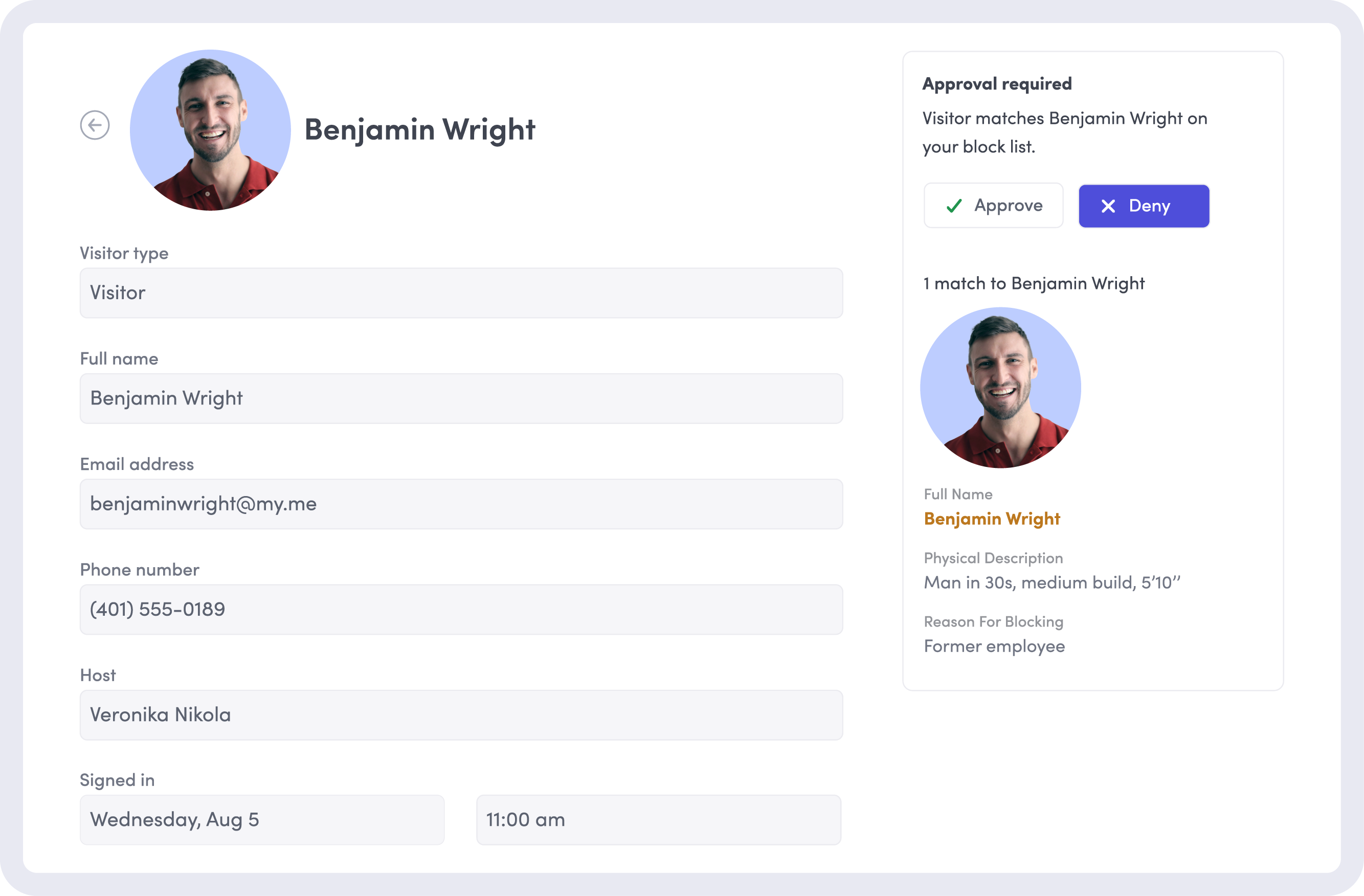
PE.L2-3.10.1 is clear: only authorized individuals can access your facilities. With Envoy, your team can automate pre-registration, identity verification, and entry authorization.

Pre-registration with host approval
Hosts can invite visitors in advance. Approvals are routed to the right reviewer based on visitor type, citizenship, or authorization level.

ID verification at sign-in
ID scanning, photo capture, and document signing happen at the kiosk. No paper logs, missed steps, or gaps in your records.

Denied party screening
Visual Compliance and Descartes integrations automatically screen visitors against OFAC, BIS, and consolidated denied-party lists before access is approved.
Secure escorted access from arrival to departure
Under PE.L2-3.10.3, escorted visitors need to be accounted for from arrival to departure. Envoy centralizes escort tracking, timestamps, and activity logs in one audit-ready system.

Automated escort rules by visitor type
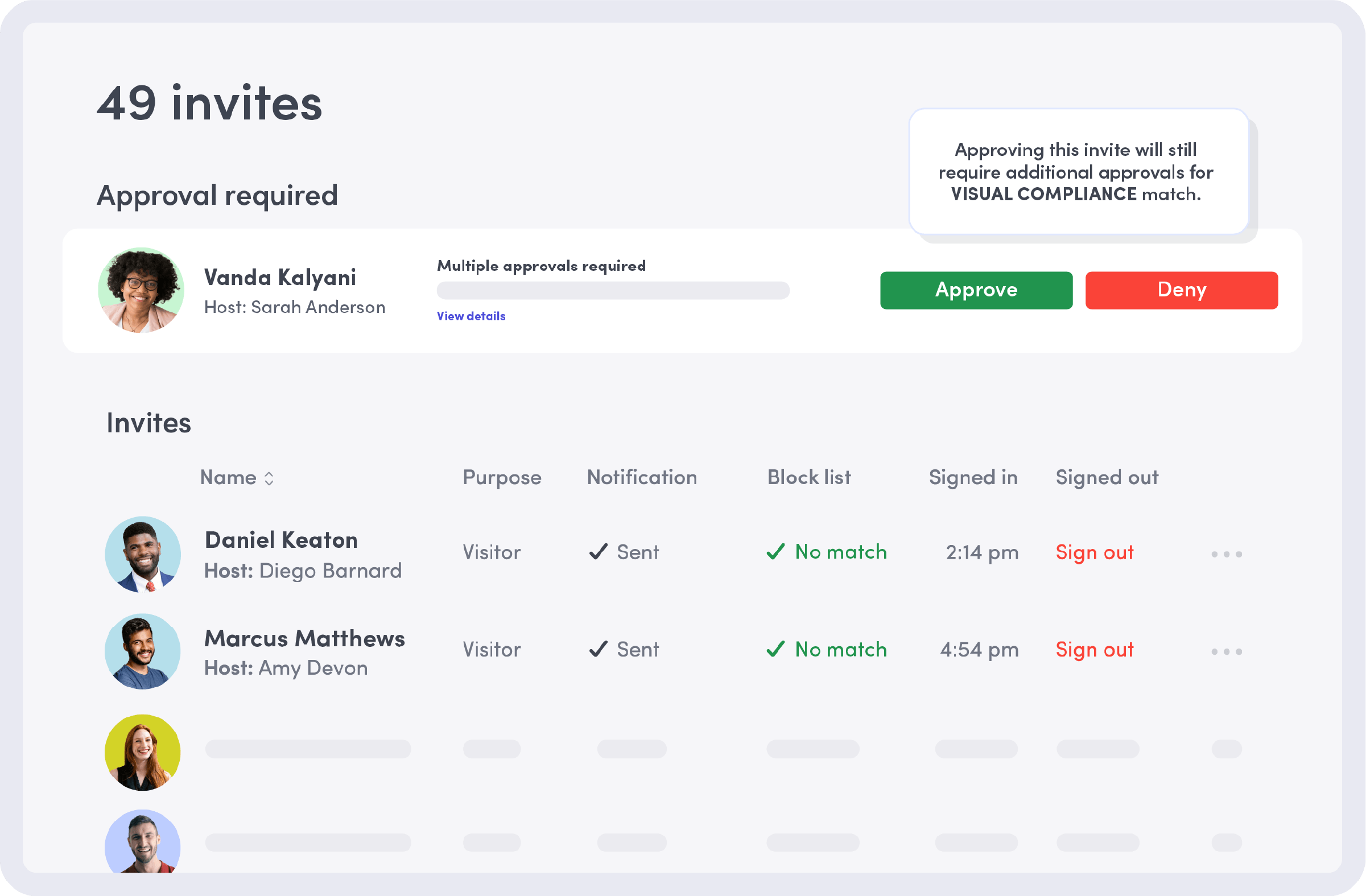
Configurable approval and escort workflows route foreign nationals, contractors, and US citizens down the right path automatically, every time.

Real-time host notifications
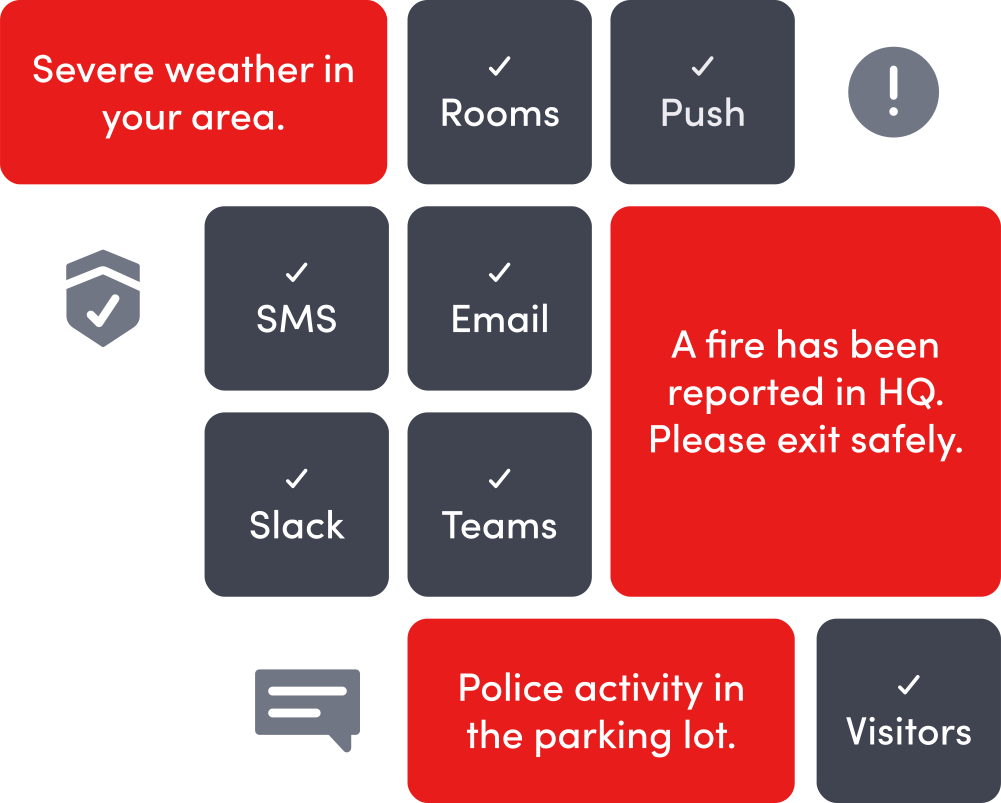
Hosts get notified by Slack, Teams, SMS, or email the moment their visitor arrives, so every visitor stays under supervision.

Sign-in & sign-out timestamps
Every entry and exit is logged automatically in Envoy. Audit logs include host, purpose, signed documents, and screening results.
.png)
Maintain exportable audit logs for every site
PE.L2-3.10.4 requires complete, exportable visitor logs. Most defense contractors need a day or more to produce them. Envoy helps teams deliver them in minutes.

Centralized visitor records
Every visitor entry across every site lives in one secure platform. No spreadsheets, paper logs, or reconciling data across vendors.

On-demand compliance reporting
Visitor records export to CSV or PDF in seconds, filterable by date, site, host, or visitor type. Recurring reports are available on Enterprise plans.

Standardized visitor policies across locations
Sign-in workflows clone across sites so new locations are up and running in days, with consistent screening, logging, and reporting at every site.
Everything your assessor needs for PE, in one platform
Level 2 includes 14 domains and 110 controls. Envoy centralizes visitor access, escort workflows, and audit evidence for the PE domain, including support across PE.L2 practices.
.png)

Direct mapping to PE.L2 requirements
Pre-registration, escort tracking, audit logs, and access management map directly to PE.L2-3.10.1 through PE.L2-3.10.5, covering the Physical Protection practices.

Defensible visitor activity logs
Every visit is timestamped, attributed, and stored centrally as part of a complete audit trail. Pull a full year of records in minutes and eliminate manual reconstruction during audits.

Standardized controls across every site
Consistent visitor screening, logging, and escort workflows across every location. Clone configurations to roll out new sites in days without having to reinvent policies.

Integrates with your existing security stack
Envoy connects to the security and compliance tools you already rely on (including LenelS2, Brivo, Genetec, Avigilon Alta, Visual Compliance, DocuSign, and more), layering into your existing stack without disruption.
How Envoy supports all five PE.L2 practices
Passing PE.L2 requires more than policy documents. Assessors expect proof that physical access controls are enforced in day-to-day operations, and Envoy helps teams produce it.
Requirements: Limit physical access to organizational systems, equipment, and operating environments to authorized individuals.
Audit evidence provided by Envoy:
- Pre-registration records with host attribution and invitation timestamps for every visit
- Timestamped approval records showing reviewer identity, decision, visitor type, citizenship, and authorization level
- ID scan results and photo capture logged against each visitor entry at check-in
- Restricted-party screening results per visitor, including match status against OFAC, BIS, and consolidated denied-party lists, recorded before access was approved
Requirements: Protect and monitor the physical facility and support infrastructure.
Audit evidence provided by Envoy:
- Live and historical visitor activity logs with photo capture for every entry
- Access control integration records from LenelS2, Brivo, Genetec, Avigilon Alta, Honeywell, and Kisi, with visitor events logged alongside badge activity
- Badge issuance records tied to visitor approval status
Video surveillance, alarm systems, and infrastructure monitoring stay with your physical security operations and their dedicated tools. Organizations typically pair Envoy with access control and physical security platforms for full PE.L2-3.10.2 coverage.
Requirements: Escort visitors and monitor visitor activity.
Audit evidence provided by Envoy:
- Visitor category records showing escort requirements applied per visit, including separate routing for US persons, foreign nationals, and contractors
- Host notification timestamps showing when each host was alerted and through which channel
- Sign-in and sign-out timestamps for every visit, with visit duration and host assignment recorded per entry
Requirements: Maintain audit logs of physical access
Audit evidence provided by Envoy:
- Centralized visitor records across every site, each entry containing timestamp, host identity, visit purpose, screening result, and signed documents
- Exportable logs in CSV or PDF format, filterable by date, site, host, or visitor type, available on demand
- Scheduled report records on Premium and Enterprise plans, with retention settings configurable to organizational policy
Requirements: Control and manage physical access devices.
Audit evidence provided by Envoy:
- Badge issuance and revocation records with citizenship-based color coding and authorization-level badge layout, stored centrally per visitor
- Signed NDA and ITAR briefing acknowledgment records via DocuSign, stored with each visitor entry
- Approval workflow logs showing credentialing decisions, visitor type, and access authorization per visit
- Temporary credential records tied to sign-out workflows, with badge lifecycle retained per visit entry
Requirements: Enforce safeguarding measures for CUI at alternate work sites.
Audit evidence provided by Envoy:
- Standardized sign-in flows, screening, and audit logs deploy to every facility, so safeguards hold consistent at satellite and alternate locations instead of degrading at the edges.
- Incident response and emergency notifications keep people accounted for across every site.
Integrates with your access control & compliance stack
Envoy connects to the access control, identity, and compliance tools your team already runs. No need to overhaul your physical security operations to support CMMC readiness.














How Parker Meggitt standardized compliance across 53 facilities


We can collect all the data that we need to meet our compliance requirements in one, centralized place. We trust that Envoy protects that data, stores it securely, and does so globally. That’s a big win.”
 Explore the case study
Learn more about CMMC, ITAR & physical security
Explore our resources for teams preparing for CMMC assessments, managing ITAR visitor workflows, and building audit-ready physical security operations.
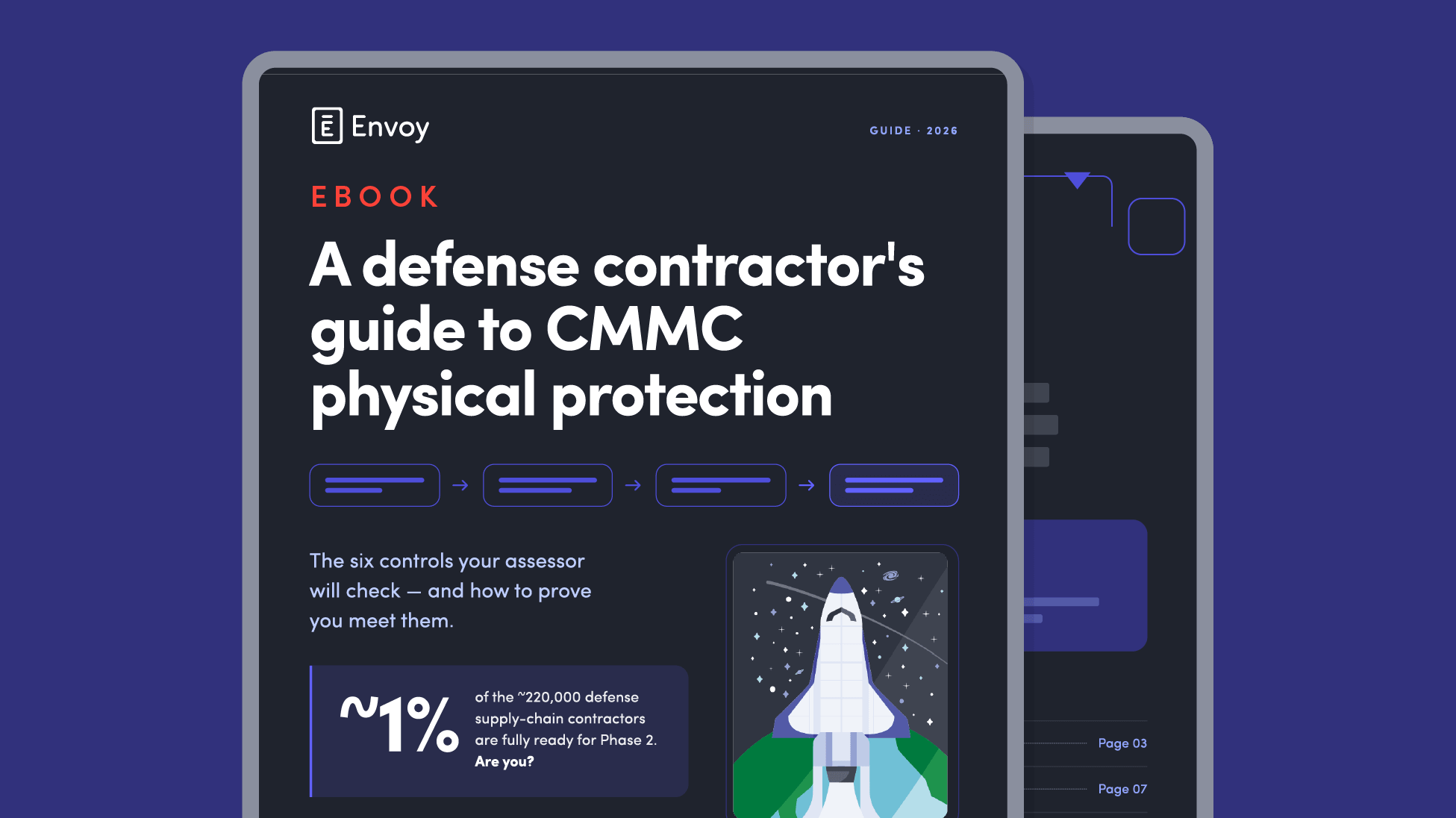
A defense contractor's guide to CMMC physical protection
Use this guide to understand the physical protection requirements of the CMMC, get insights from organizations that effectively meet these standards, and build a roadmap toward certification for your business. Free guide.

The 2026 A&D compliance gap: why 66% of organizations aren’t audit-ready
Insights from 140 aerospace and defense leaders on ITAR compliance, audit readiness, visitor risk, and operational exposure.

Parker Meggitt
"We can collect all the data that we need to meet our compliance requirements in one, centralized place. We trust that Envoy protects that data, stores it securely, and does so globally. That’s a big win."
Still have questions?
We can help.
CMMC certification applies to defense contractors, not software platforms. Envoy is built to help organizations meet PE.L2 requirements by supporting access control, visitor management, and audit-ready logging.
Envoy supports PE.L2 workflows through visitor management, badge management, and exportable visitor records. Organizations use Envoy to operationalize PE.L2 practices tied to facility access and visitor activity.
Envoy supports organizations working toward CMMC Level 1 and Level 2 requirements, especially within the Physical Protection (PE) domain. It’s most commonly used by teams preparing for or maintaining Level 2 certification.
Envoy primarily supports the Physical Protection (PE) domain, covering the PE.L2 practices including visitor access management, escort workflows, and audit logging.
ITAR and EAR workflows are supported through visitor screening, restricted-party list integrations, and controlled access processes. These capabilities also reinforce PE.L2 requirements by helping ensure only authorized individuals enter regulated environments.
Envoy is not currently deployed in FedRAMP or GCC High environments. However, it integrates with widely used security and compliance tools in those ecosystems, allowing organizations to keep their existing regulated infrastructure while managing visitor and physical access workflows through Envoy.
Integration is available with leading access control and physical security platforms including LenelS2, Brivo, Genetec, Avigilon Alta, Honeywell, and Kisi, along with compliance tools such as Visual Compliance, Descartes, and DocuSign.
Multi-site deployment can be set up in minutes for configuration and scaled across locations in days, depending on hardware and integration requirements.
Envoy provides centralized, timestamped, searchable visitor logs that can be exported on demand in CSV or PDF formats. Each record includes visitor identity, host, approvals, and activity history, supporting the types of evidence typically reviewed during CMMC Level 2 assessments.
Envoy integrates with these systems through platforms like Genetec and Avigilon Alta, helping visitor activity align with broader facility monitoring workflows.